01
Choose a place
Open Settings, set your location, and long-press the map to drop a pin where you want to track time.
Set a place once. CheckOutIn quietly notices when you arrive and leave, so you can measure time spent at work—or anywhere that matters—without remembering to start and stop a timer.
Download on the App Store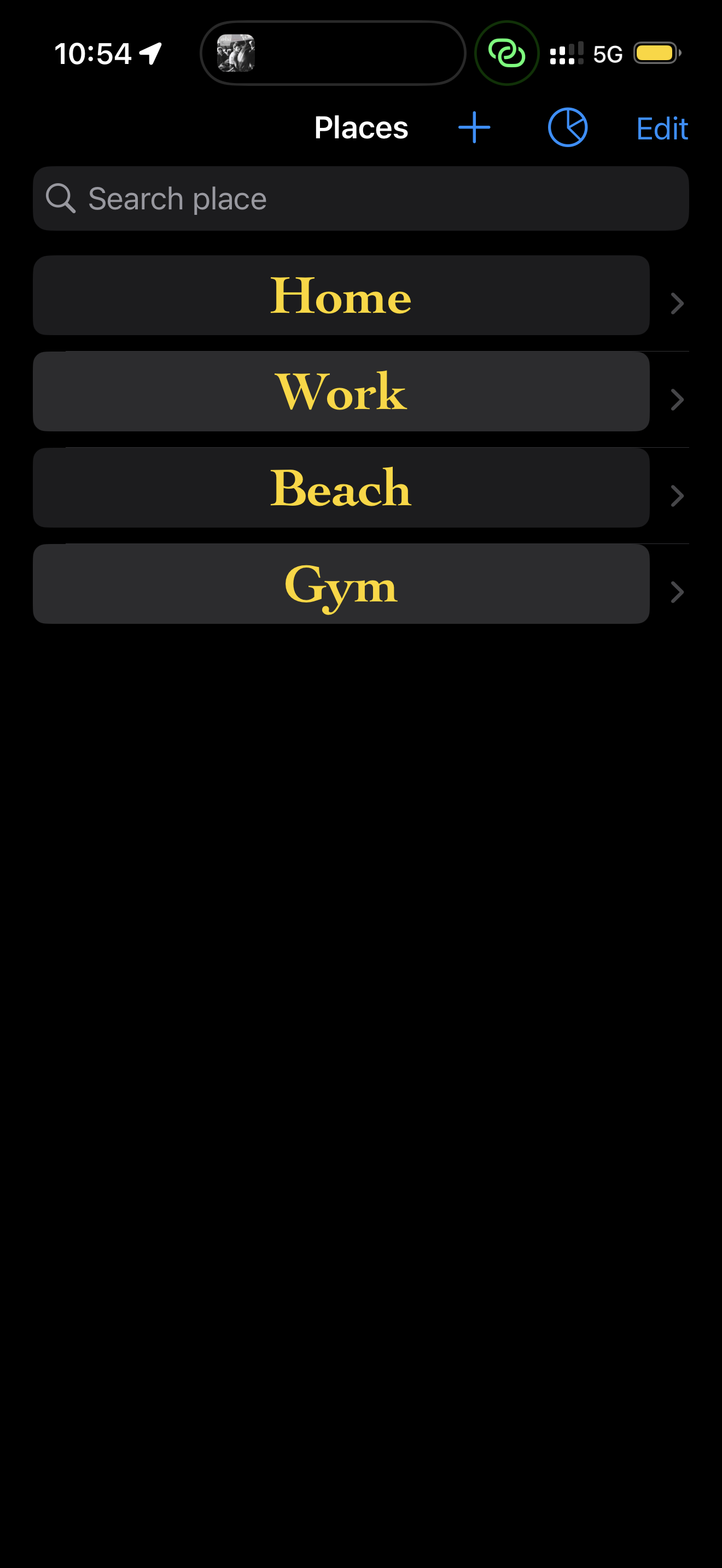
Manual time tracking asks you to remember the moment you arrive, find the right button, and repeat it when you leave. CheckOutIn turns that repeated habit into a background workflow.
Create a list of places you want to understand. Search your saved locations, add new ones, and keep the names meaningful to your routine.
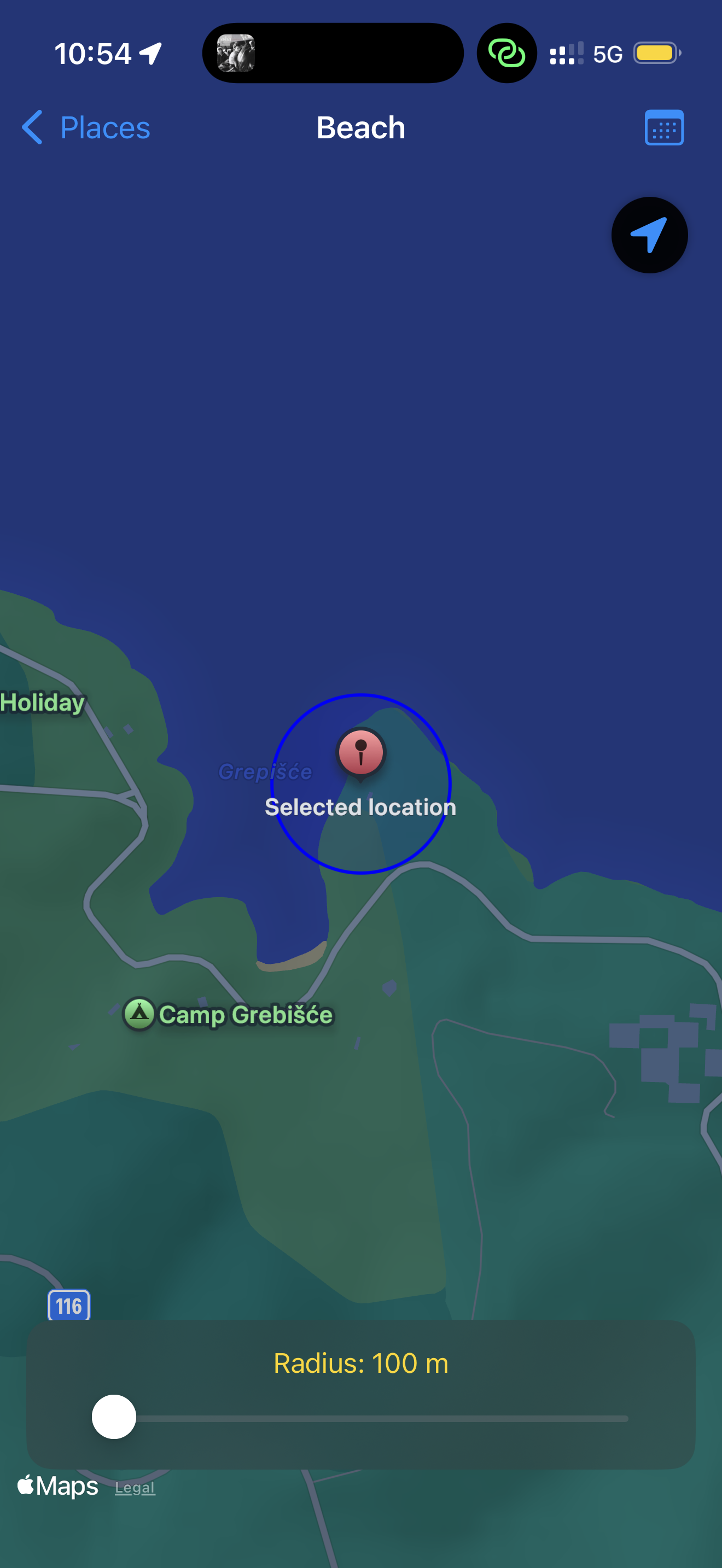
Open Settings, set your location, and long-press the map to drop a pin where you want to track time.
Adjust the monitored area with the slider. The default radius is 200 metres, so you can tune it to the place.
When the day is done, see the time associated with each place and use it to understand your routine.
CheckOutIn uses Apple’s Visit Monitoring system, an energy-efficient location service that detects meaningful changes around a place. It is designed to work even when the app is closed or force-quit.
You may see a location arrow in the status bar. For the best accuracy, keep Wi-Fi enabled.
Watch the CheckOutIn walkthrough, then set up the places that make up your day.
From the places list to the selected location map, each screen keeps the job focused: know where you are and how long you stayed.
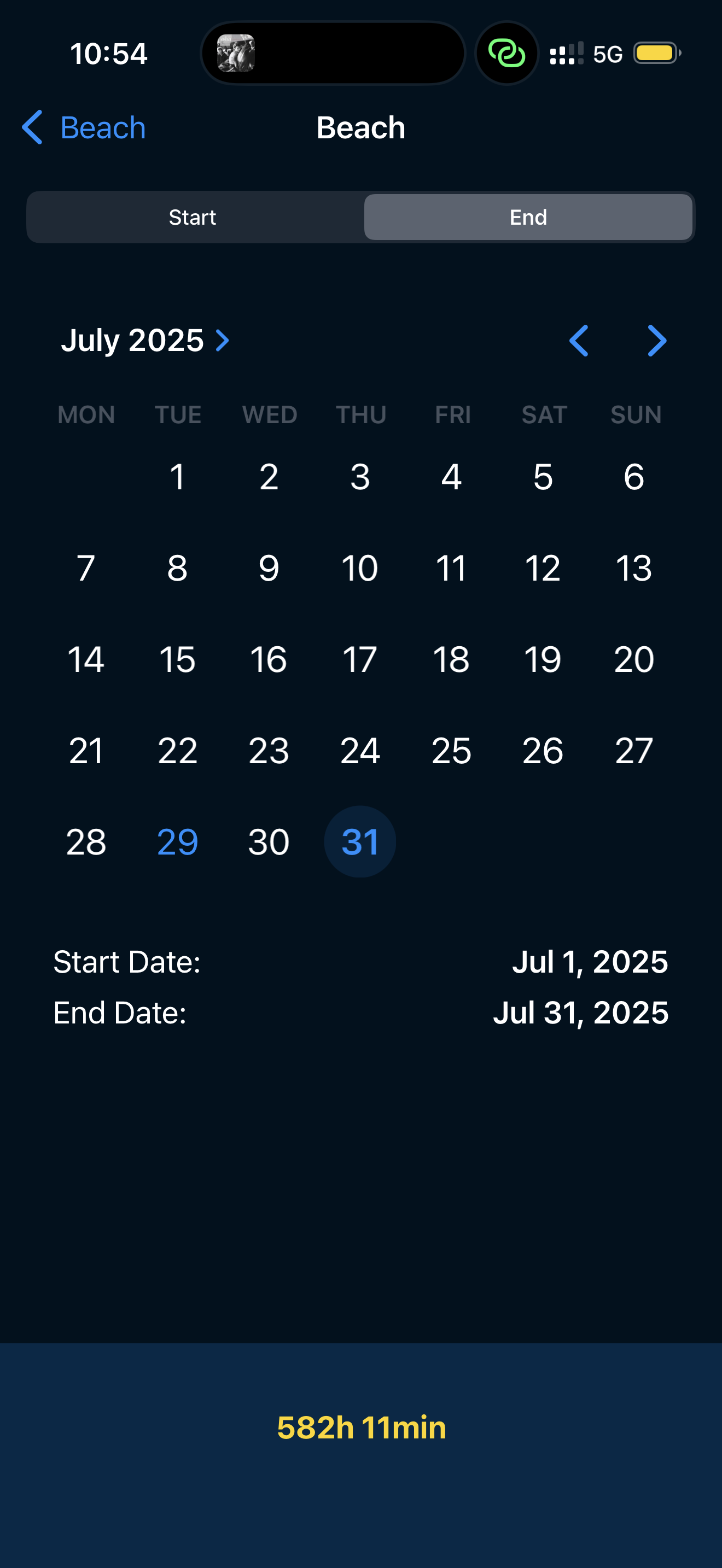
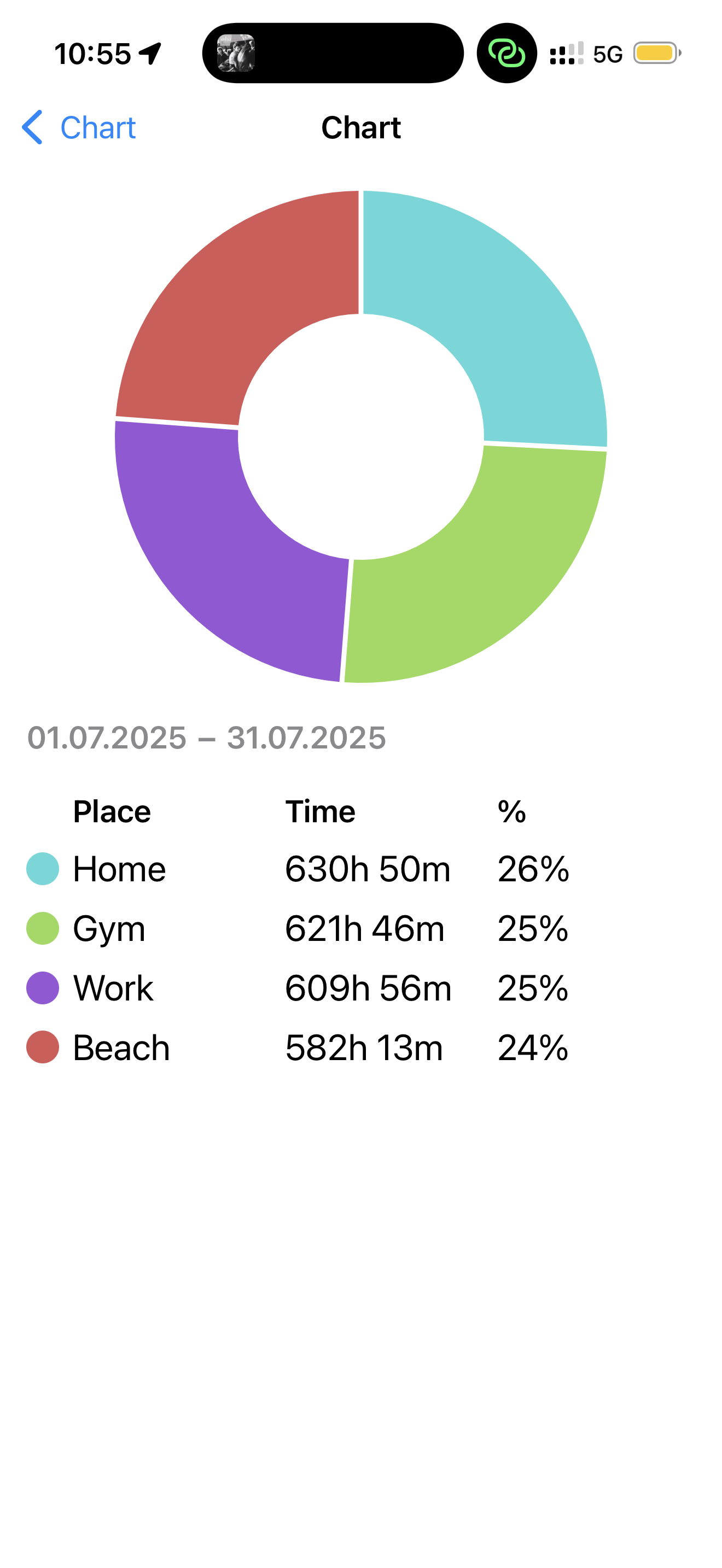
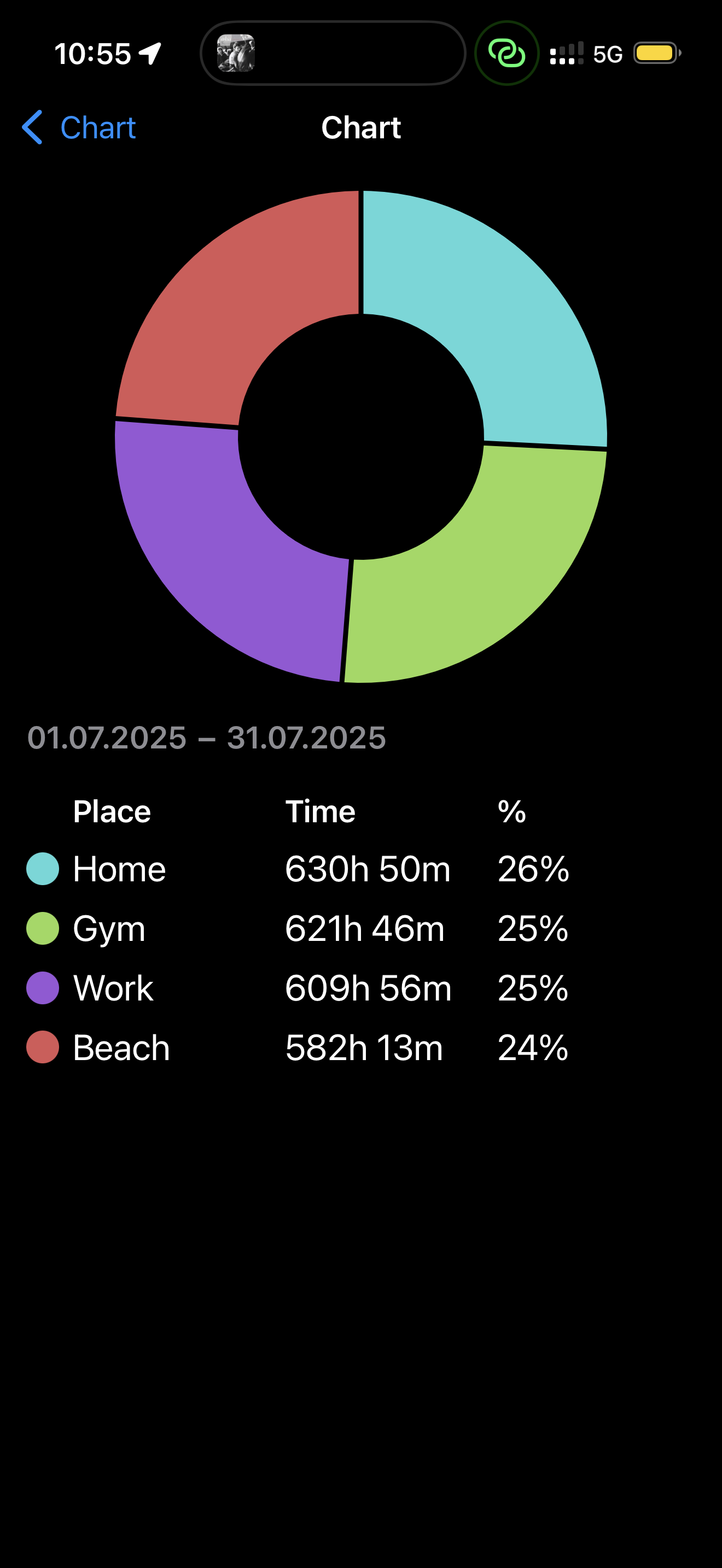
Make that story easier to see. Add the place you visit most, then let CheckOutIn handle the clock.
Download on the App StoreOpen the app and start with Settings, or contact dario[AT]dcapps[DOT]net.