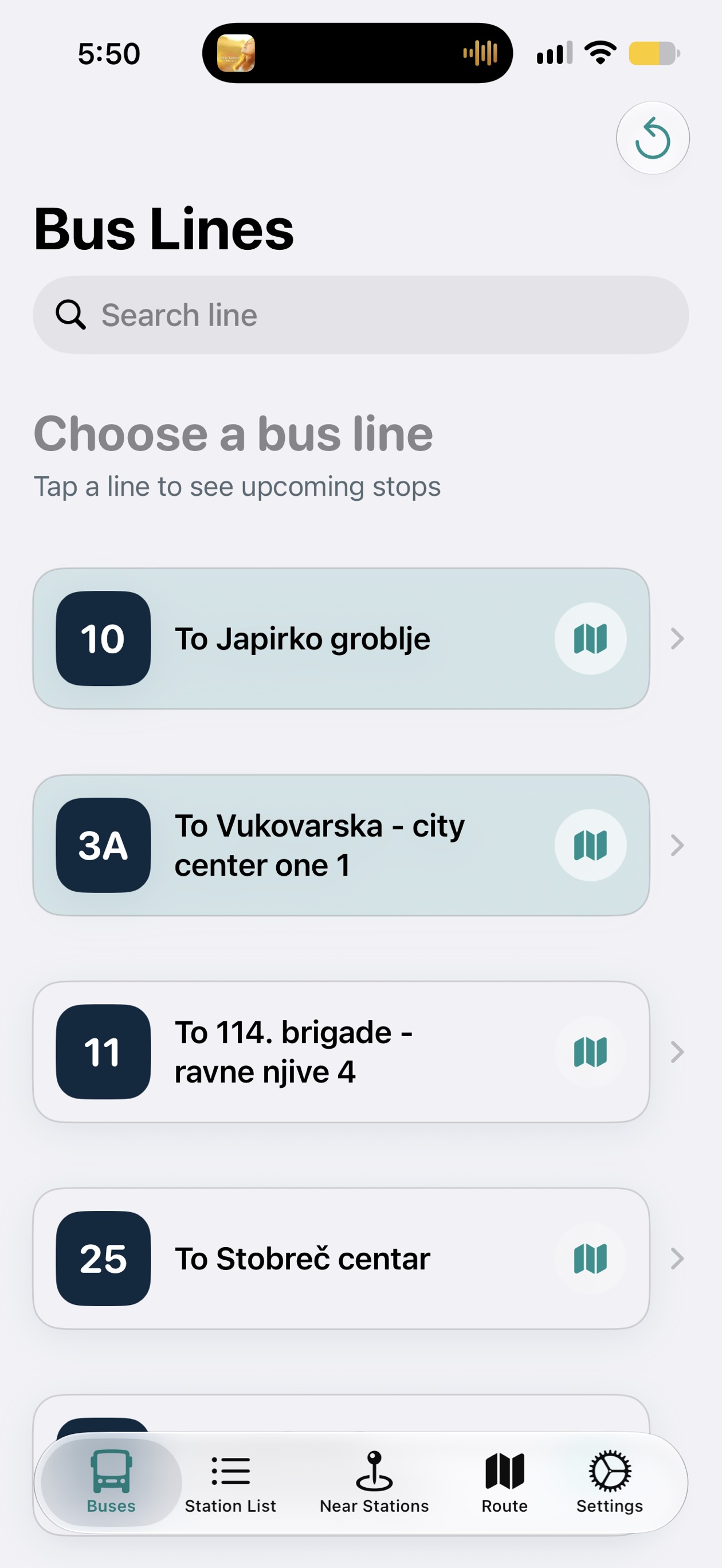
Pick your line
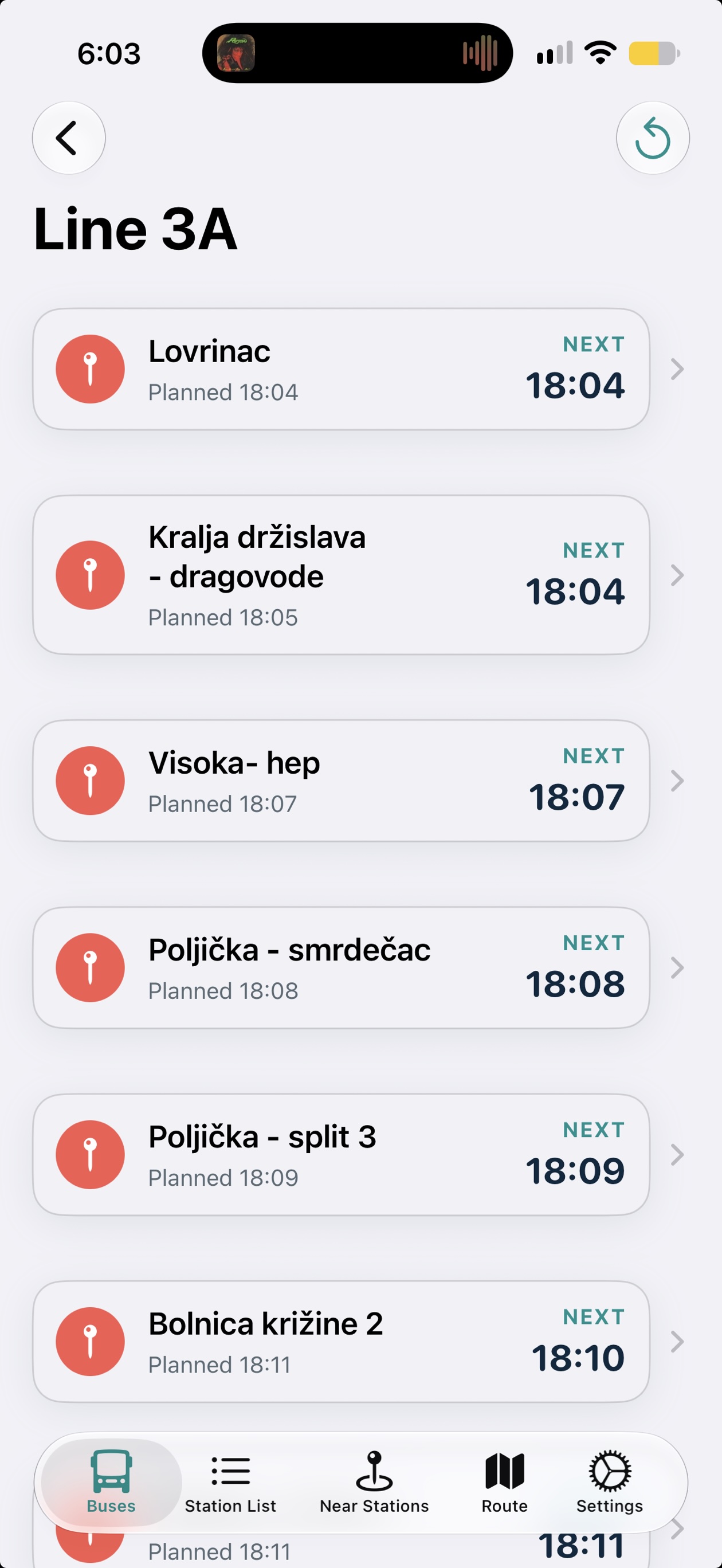
Browse a clear list of bus lines or search for exactly the one you need.
Made for moving around Split
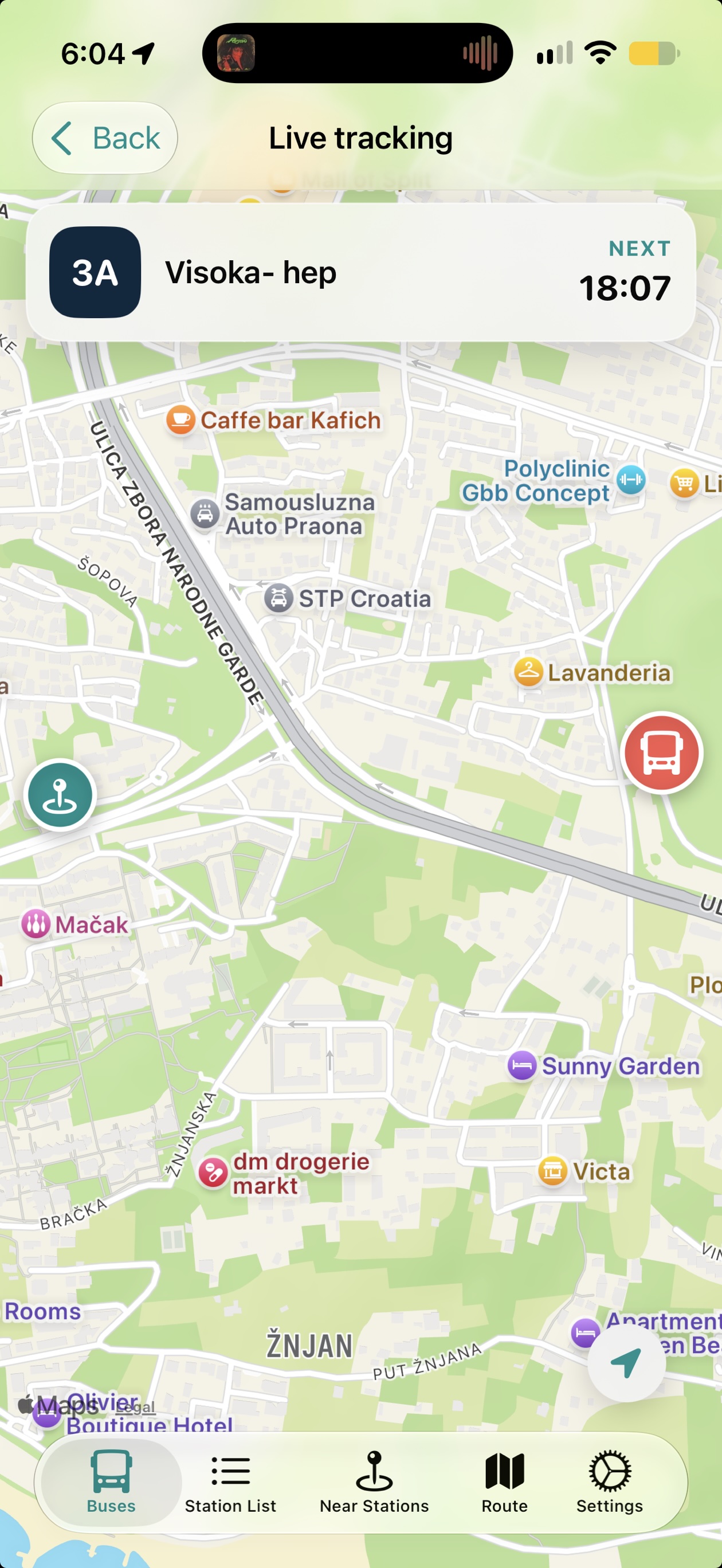
SplitBus puts the whole bus network in your pocket: every line, every stop, live vehicles and a simple route from where you are to where you want to be.
One app, every view
SplitBus follows how people actually travel: first find a bus or station, then see precisely where it goes, and finally let the app guide you there.
Browse a clear list of bus lines or search for exactly the one you need.
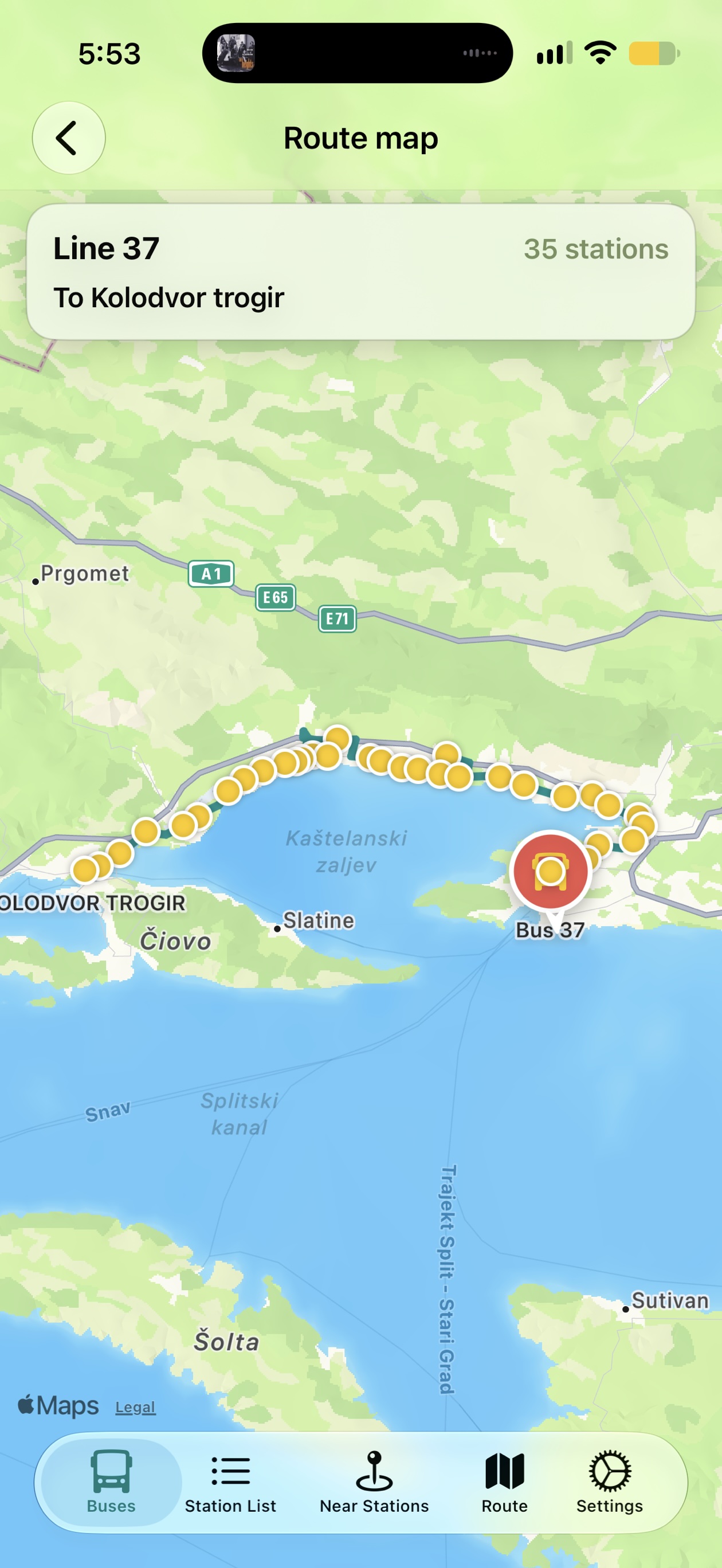
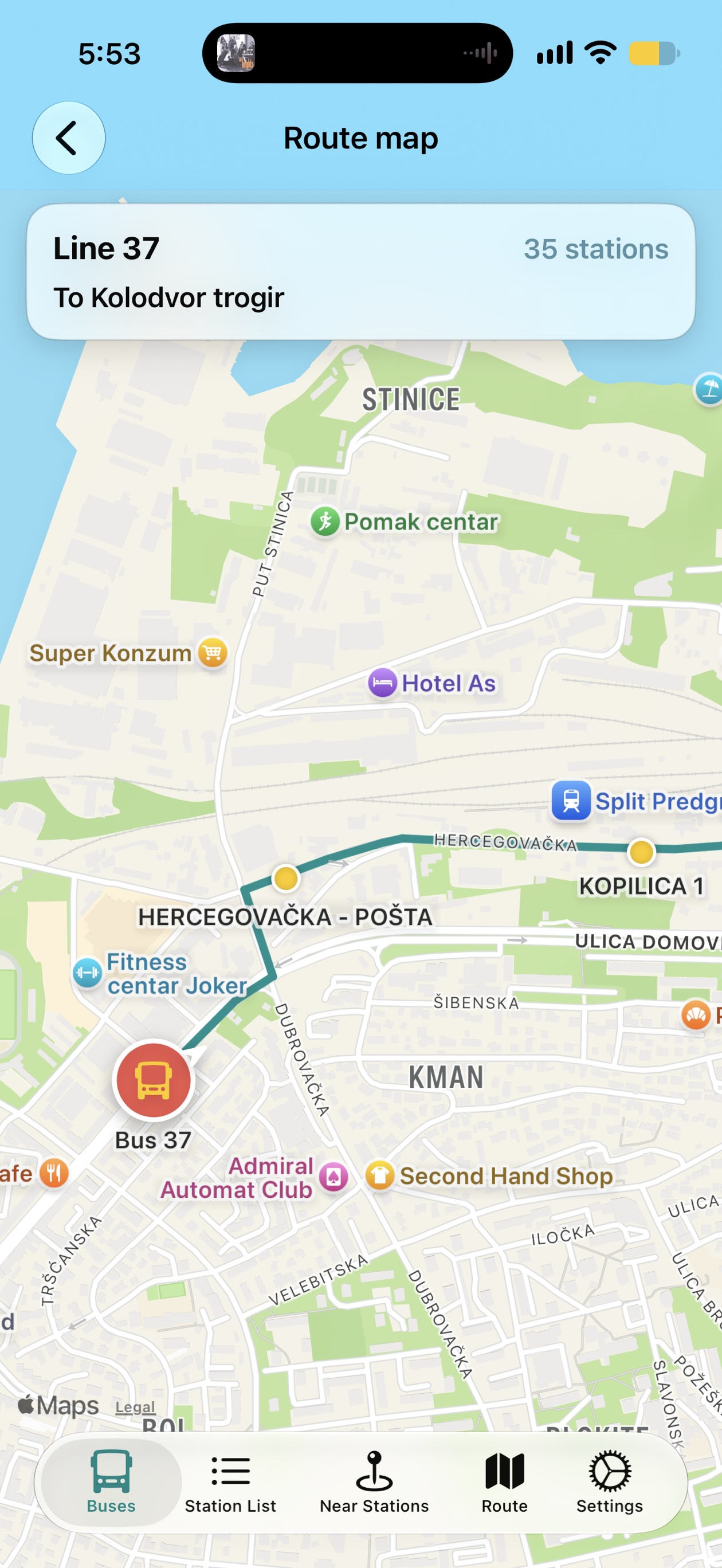
Open a route to see its stations, names and full trajectory on the map.
Track a bus live or ask SplitBus to plan the best way from A to B.
Explore the network
Choose a line from the bus list, then open its route map. The map makes every station visible, so you can understand the entire journey before you board.
Go from A to B
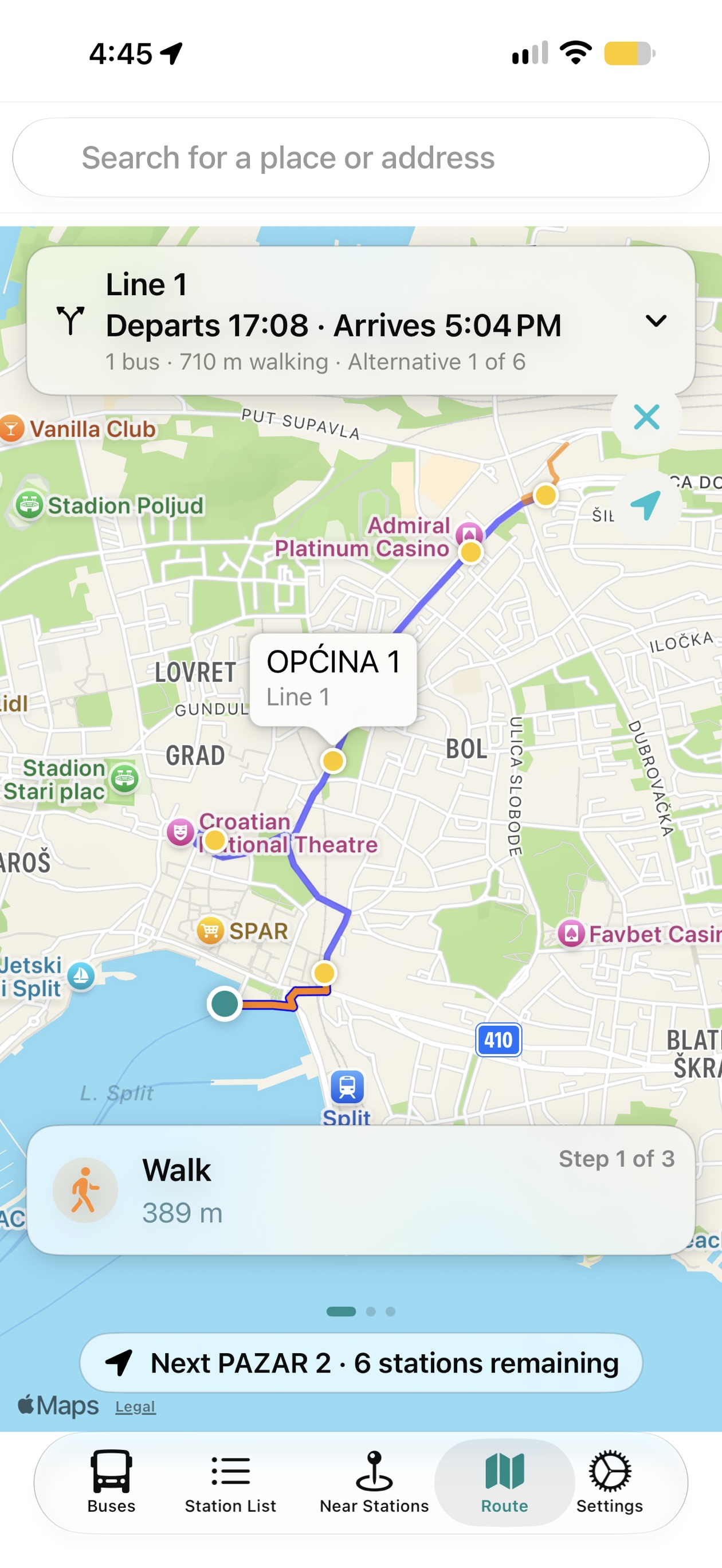
Enter a place or address and SplitBus draws your trip: walk to the right stop, catch the bus, and follow each step until you arrive.
The route view keeps the details calm and useful — including walking distance, the next stop and stations remaining.
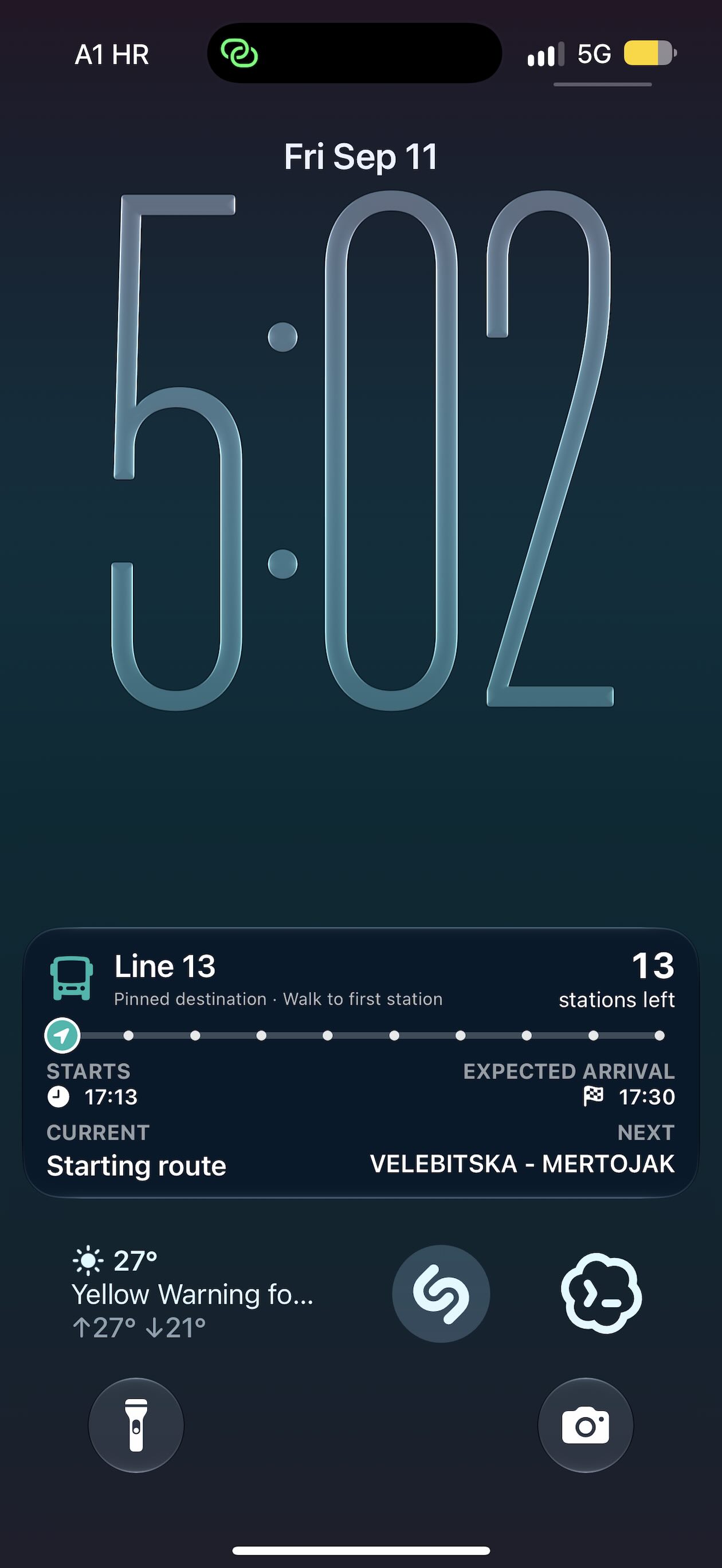
Live Activity
Choose a route and SplitBus places the journey on your Lock Screen. You can check the important details at a glance without reopening the app, even while the phone is locked.
Always in the know
From a single bus to the next station, SplitBus gives you the exact view you need in the moment.