A private operations desk for apartment owners.
Instead of notes, spreadsheets, and scattered messages, imagine simply writing or speaking what is happening, and having your guest stays, payments, balances, and confirmations kept in order on your own iPhone.
Who this app is for
RentalBook is for small and family apartment owners (1–5 rental units) who manage direct bookings themselves—whether requests arrive via direct messages, phone calls, email, returning guests, Booking.com, or Airbnb. It is for owners who do not want a heavy hotel system, but still need a simple, private way to track arrivals, cleaning, agreed prices, deposits, remaining balances, and guest vouchers on their own iPhone.
Start in the app. There is no account to create on a website.
Many rental platforms make owners begin at a computer: create a web account, log in, complete a long setup, and only then use the mobile app. RentalBook is built around the reality of small apartment owners: you are on the move, and your iPhone is the tool you want to use to manage your apartments.
There is no separate web portal and no web-first login journey to complicate things. Open the app, complete the first useful step, and start managing your apartments right away. Your operational data stays on your device.
-
1
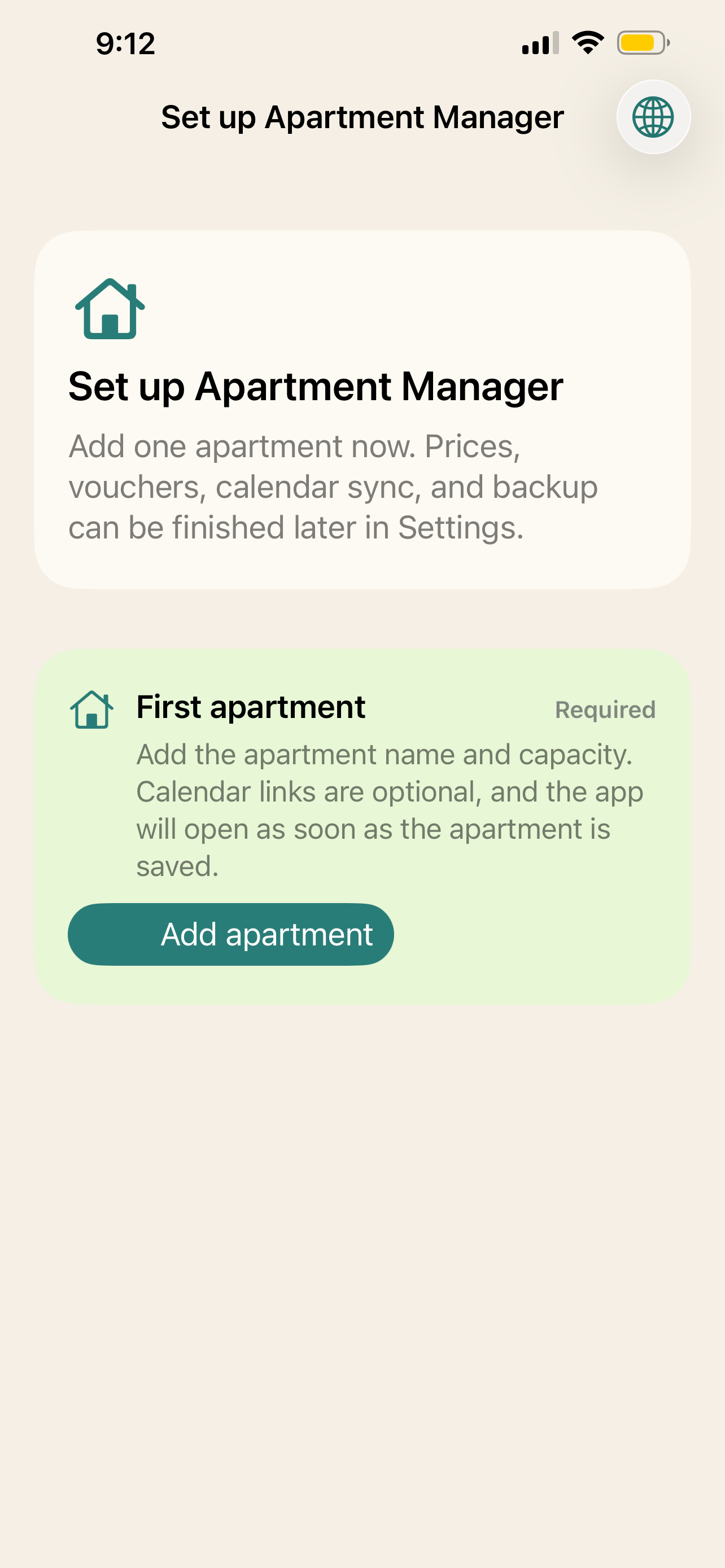
Add your first apartment RequiredGive it a name and choose how many guests it can accommodate. Once it is saved, the app is ready to use.
-
2
Define seasons (optional at first)Add low season, high season, holidays, or any periods that make sense for your rentals whenever you are ready.
-
3
Add seasonal prices (optional at first)Set the prices for those periods later, without blocking your first booking or daily work.
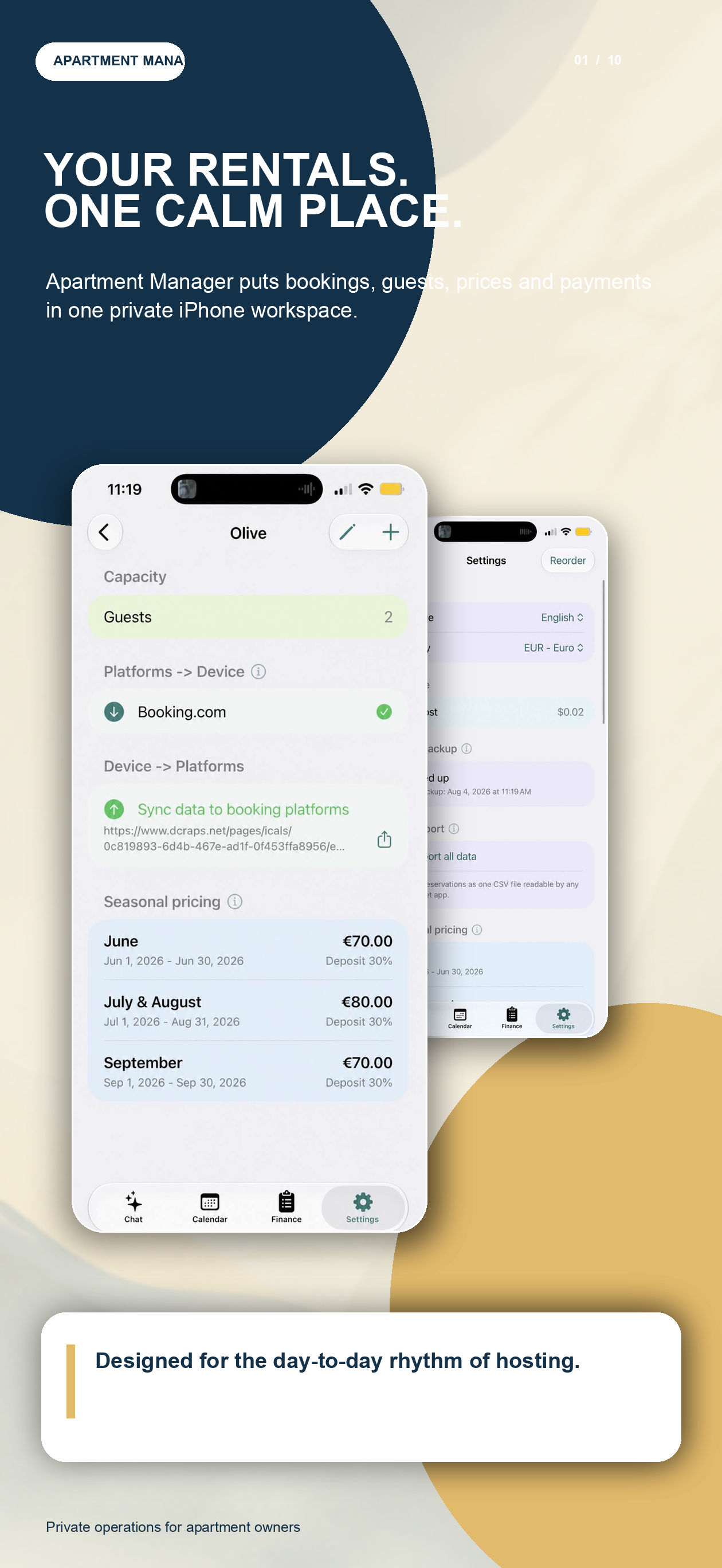
Calendar links for Booking.com and other platforms, vouchers, backups, and the rest of the settings can also be completed later. Every setup screen includes an information button, so you can see what a setting is for when you need it.
Watch the short iPhone onboarding flow: add the first apartment now, then finish the optional settings at your own pace.
One booking. Every calendar up to date.
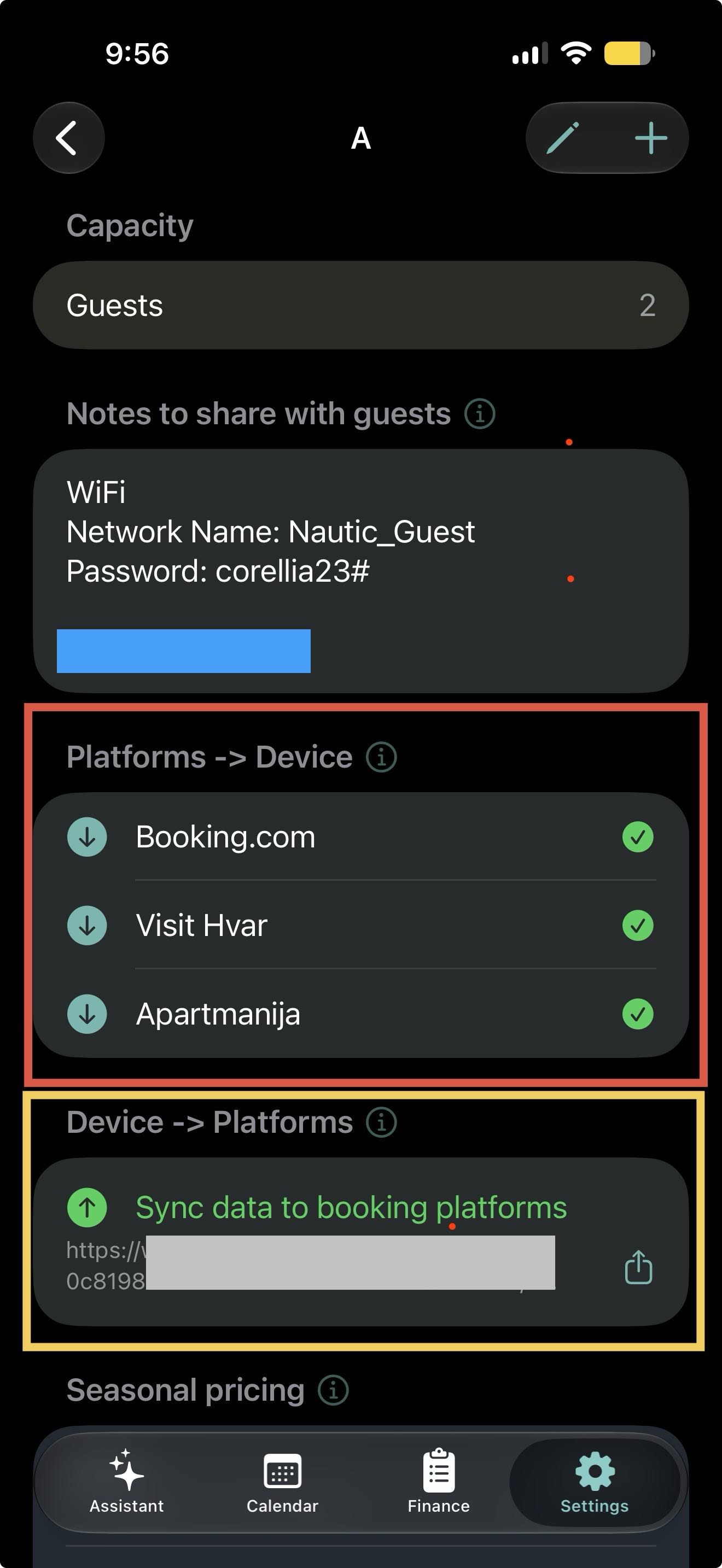
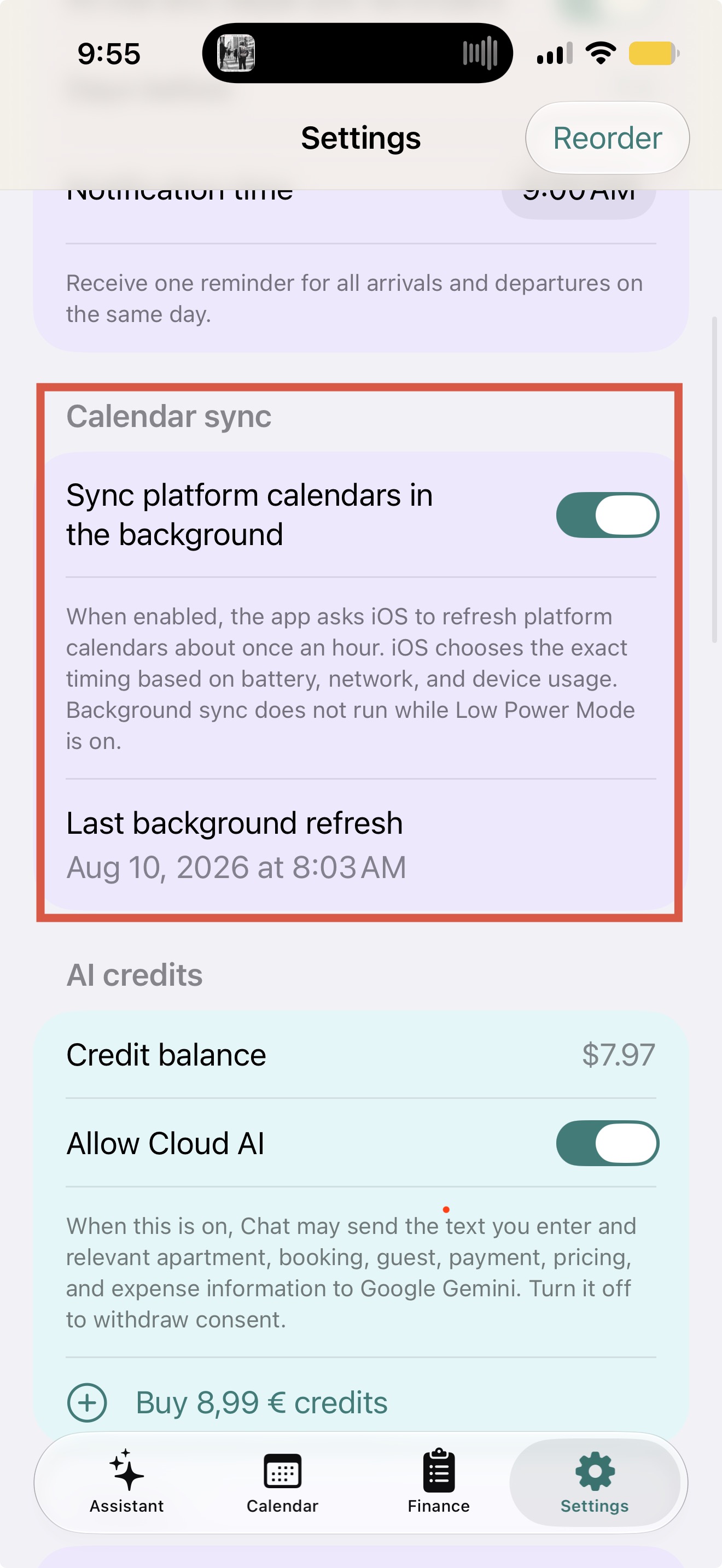
When iOS grants a background refresh, RentalBook collects the latest calendar data from every platform you have configured—Booking.com, Airbnb, Expedia, and any custom iCal link. It turns those reservations into one clear availability picture for each apartment.
Booking platforms then fetch each apartment’s updated availability feed from the RentalBook server and close the newly booked dates on their side. The result is a two-way calendar workflow designed to reduce double bookings without manually updating every platform.
A very ordinary moment
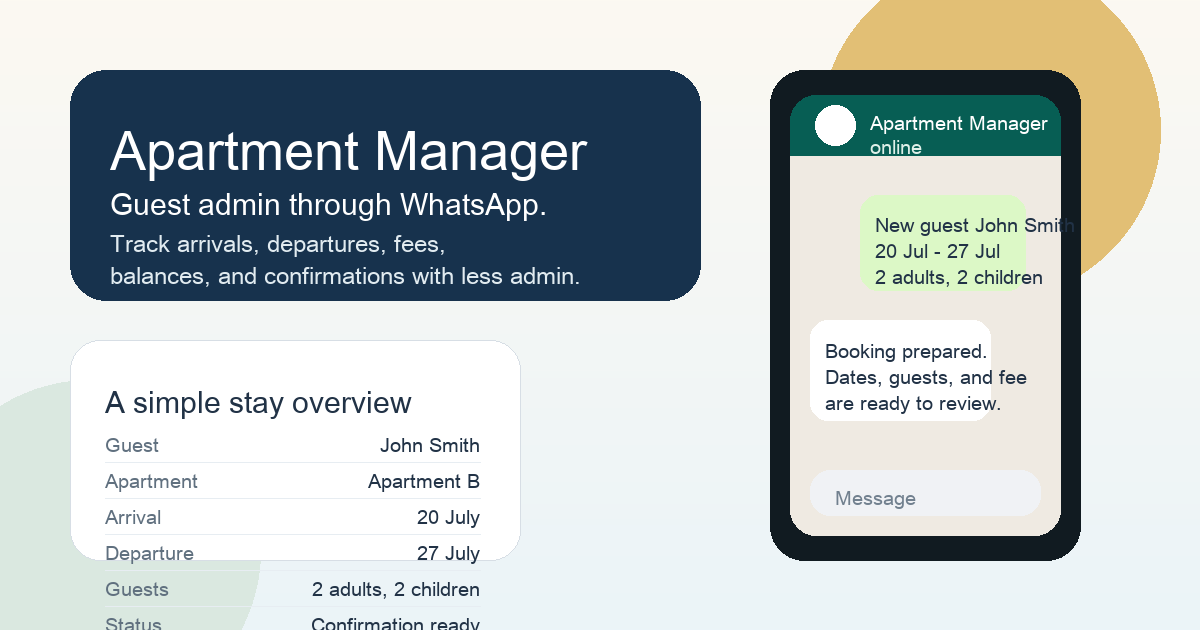
A new guest is arriving. You know the apartment, the dates, how many adults and children are coming, the agreed price, and maybe the advance payment. Normally, that information ends up in different places. RentalBook is meant to make that moment feel simple, private, and easy to review later.
Like a chat, but not WhatsApp
The interface feels familiar because owners already think in short messages. But this is not a real WhatsApp bot and it is not a cloud database of your bookings. It is a private app conversation that turns everyday text into organized apartment records.
You just write the message
The owner writes in the most natural way possible, just like they already do every day.
private on your iPhone
And the stay becomes clear
Only the important things
And if something is missing?
Then the conversation stays simple. The owner is just asked for the missing detail, instead of being forced into a complex form.
private on your iPhone
Or you simply ask about an upcoming guest
Sometimes the owner does not want to add anything new. They just want a quick answer: who is coming, when are they arriving, and how many guests should be expected.
private on your iPhone
Fast answers when you need them
And when it is time to confirm the booking
The owner can ask for a confirmation email to be prepared for the guest. A suggested message is created, a voucher is prepared, and nothing is sent until the owner says yes.
private on your iPhone
Dear John,
thank you for your booking confirmation for Apartment B from 20 July to 27 July. We are expecting 2 adults and 2 children. Your voucher is ready and attached to this email.
Best regards,
Apartment B
I also prepared the voucher. Would you like me to send it now?
Voucher and confirmation flow
That is the whole idea
A calm, simple workflow for arrivals, departures, booking fees, deposits, balances, and guest confirmations, designed for family apartment owners who want less administration, more clarity, and more control over where their financial data lives.
How it works
You write or speak a message. Gemini understands the request across supported languages, Apartment Manager validates the structured parameters, asks a simple follow-up if needed, and saves the final booking to the local device database.
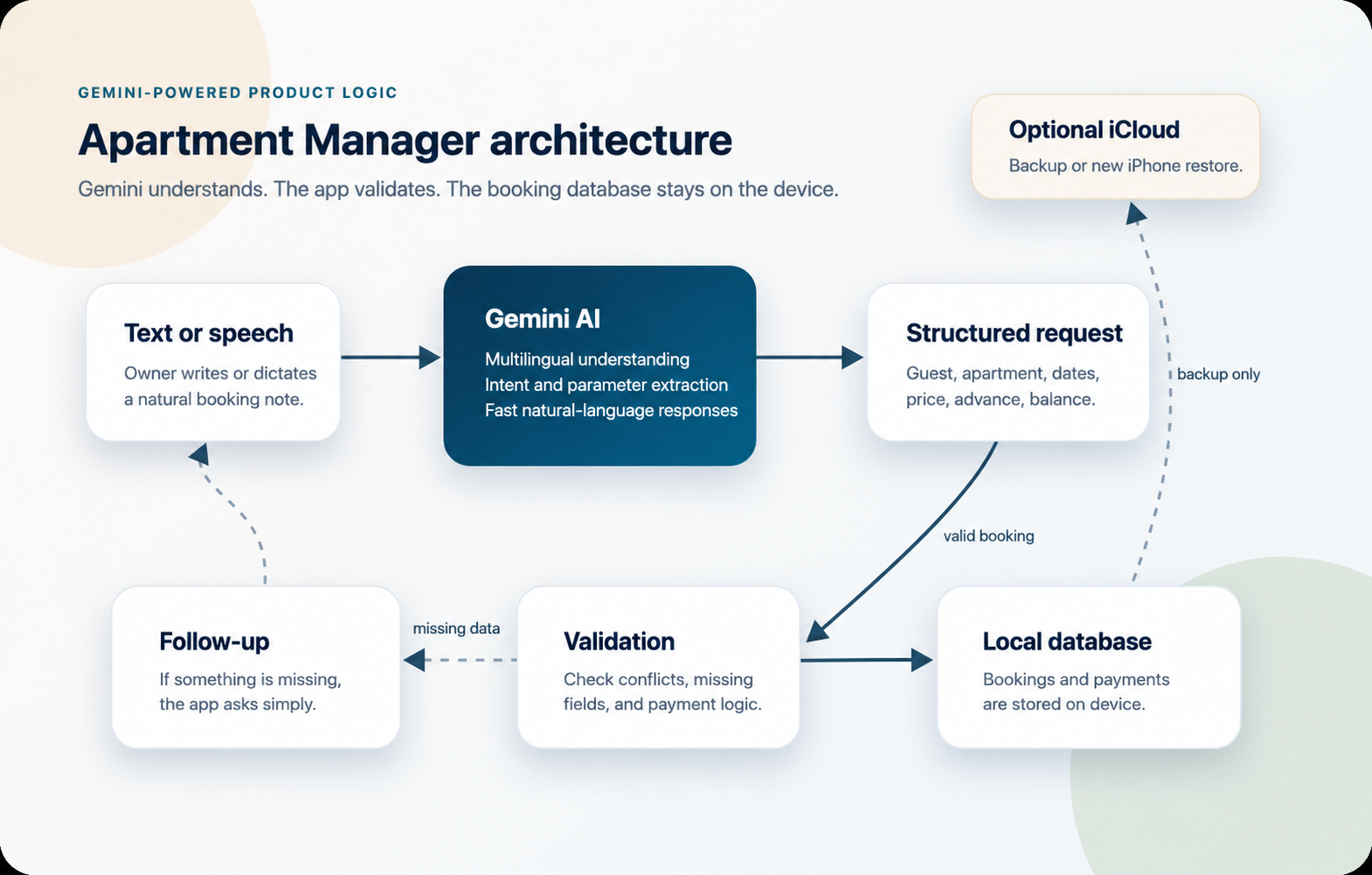
Gemini handles the language layer
The release version uses Gemini AI because it is fast, multilingual, and better suited to natural booking conversations. Gemini interprets the request; the app remains responsible for validation, permissions, and local database changes.
Release architecture
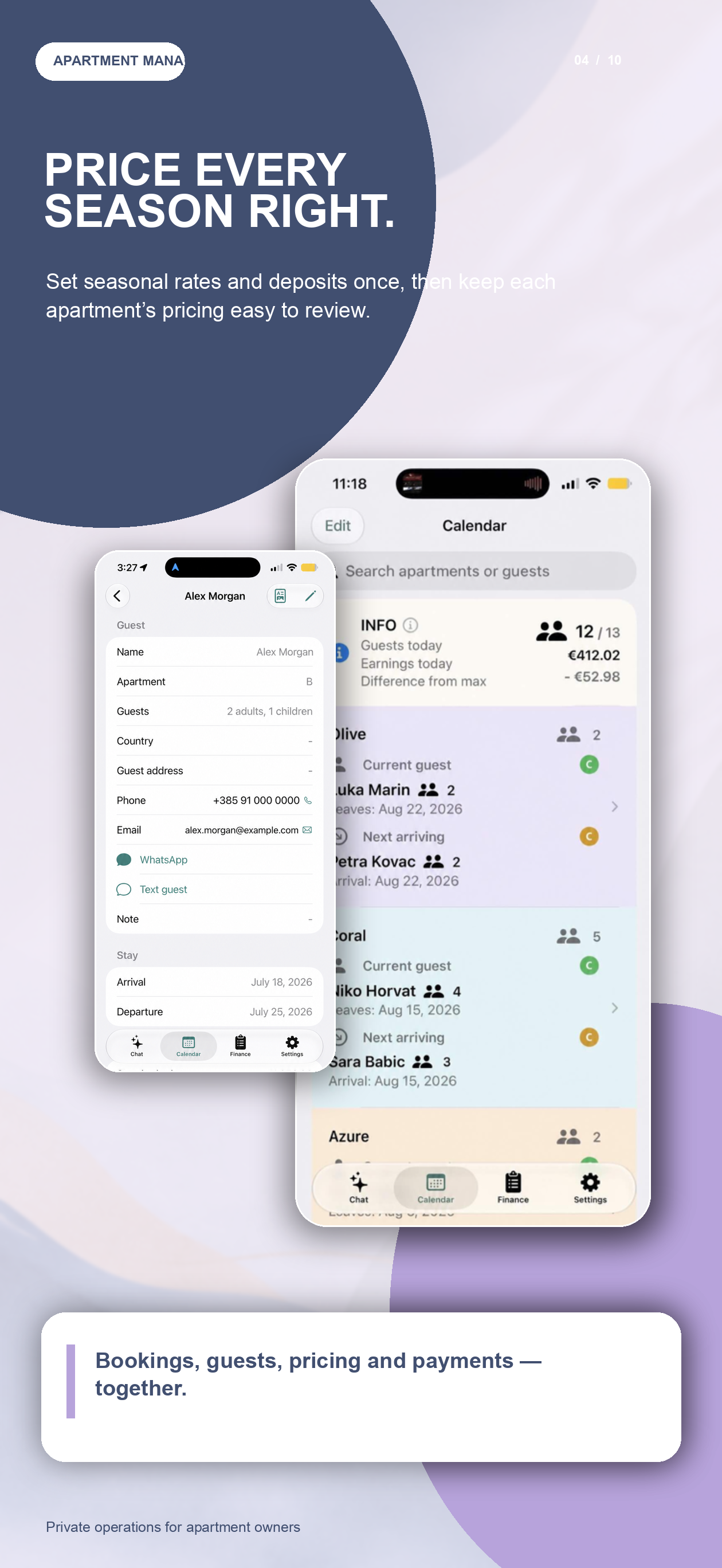
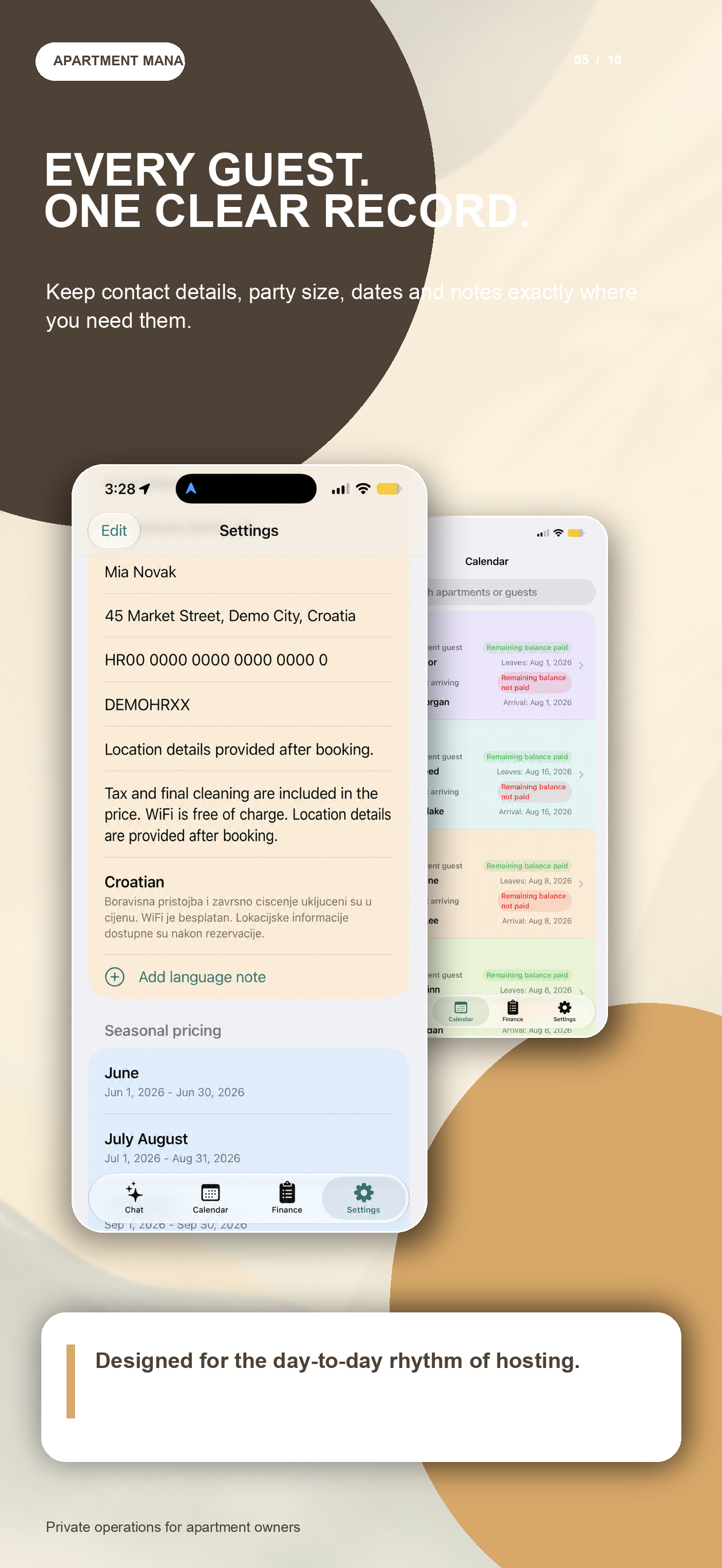
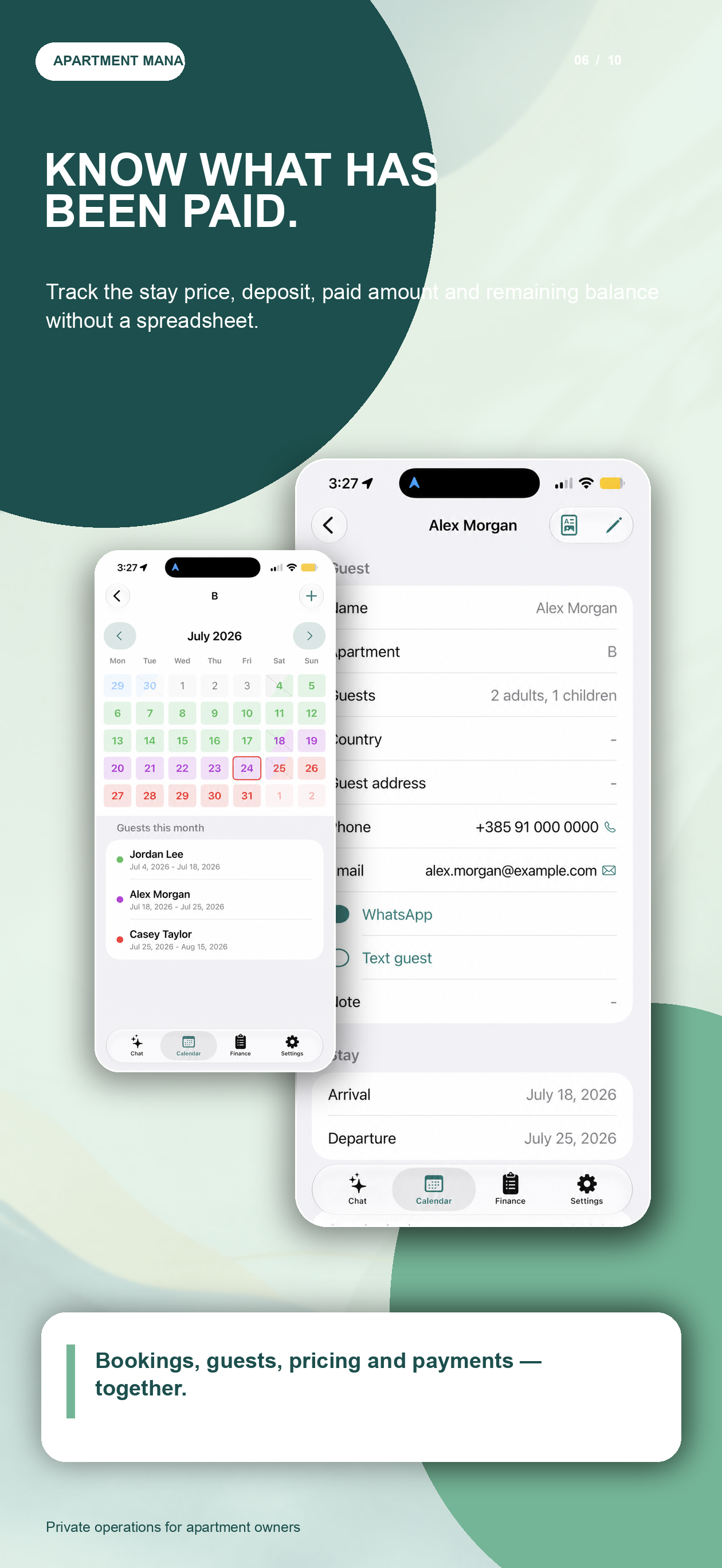
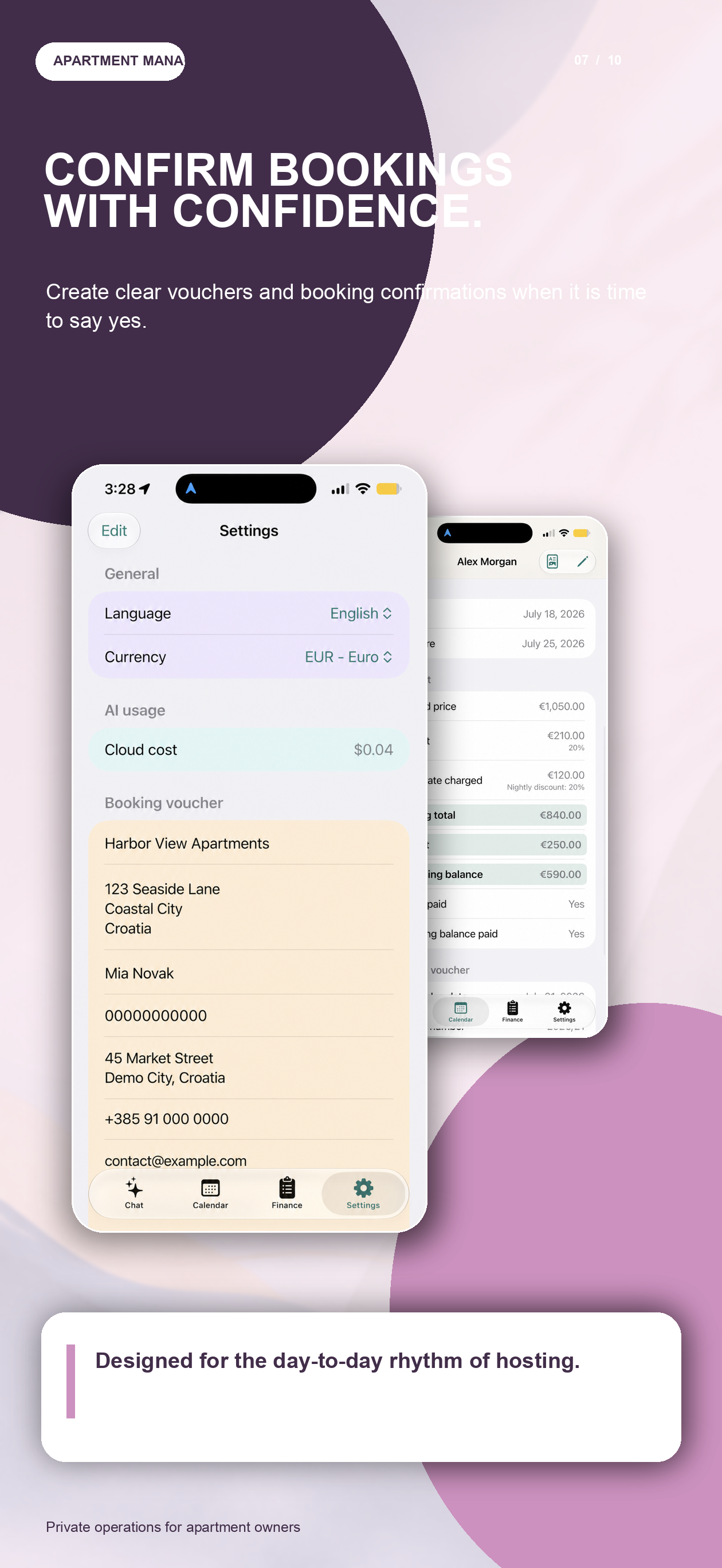
A visual story of RentalBook
From the first booking to the final balance, follow the everyday workflow of managing your apartments from one calm, private iPhone workspace.
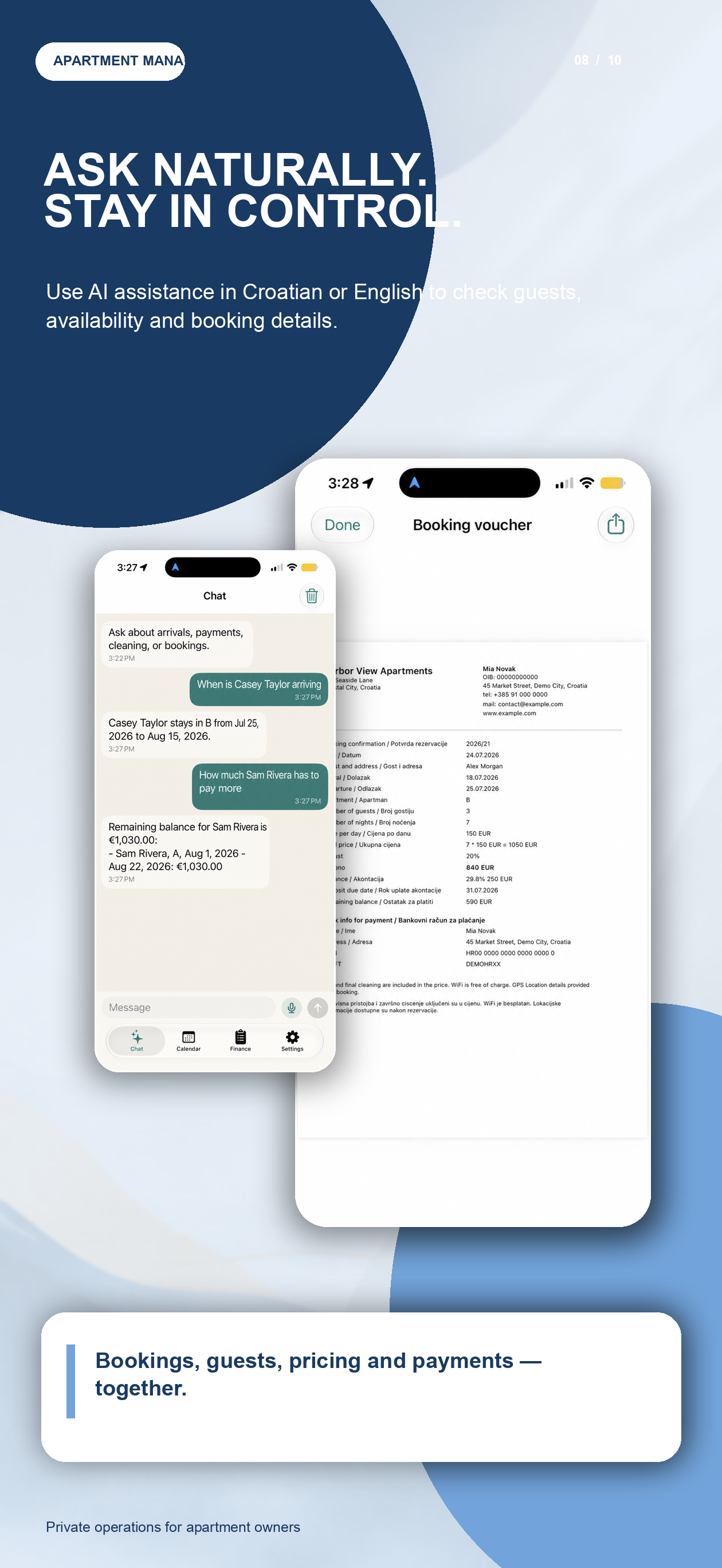
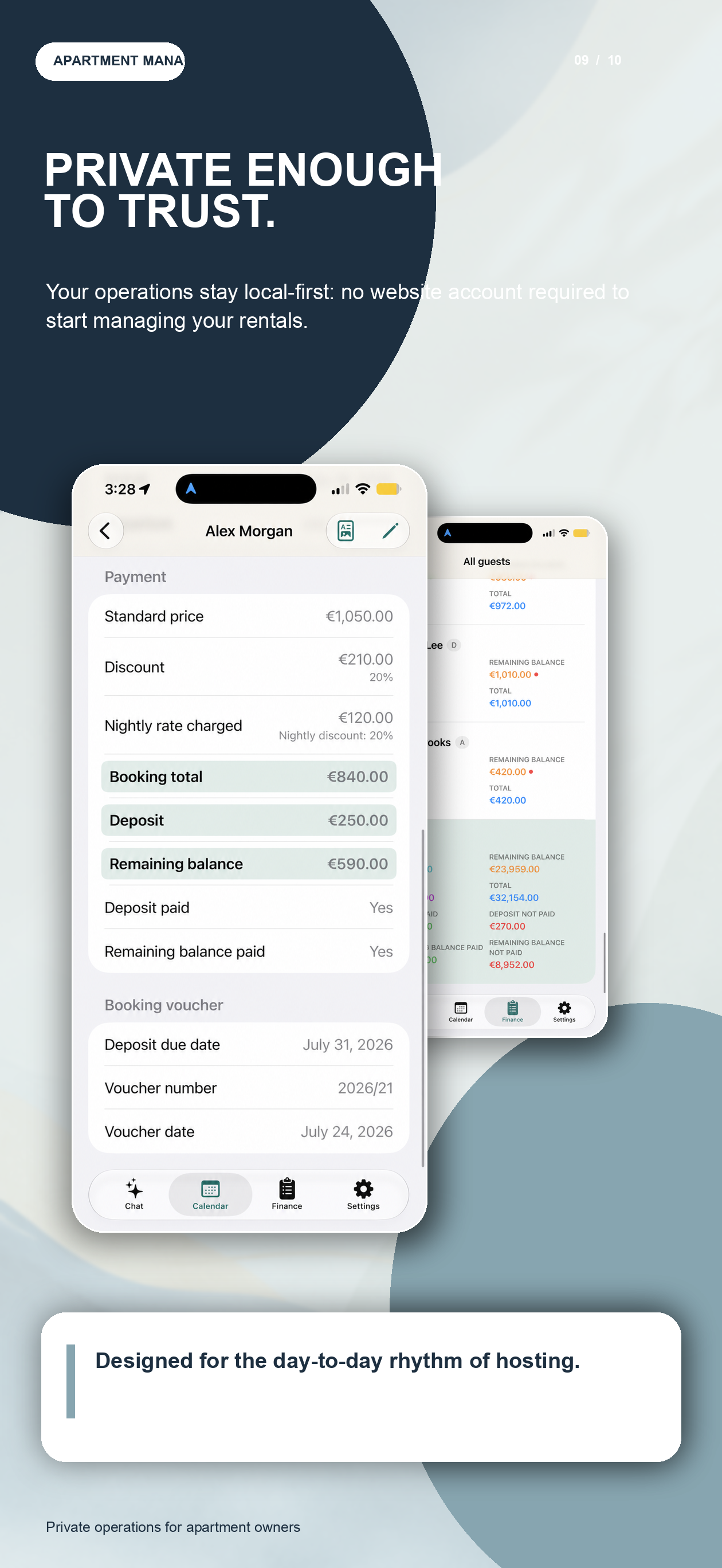
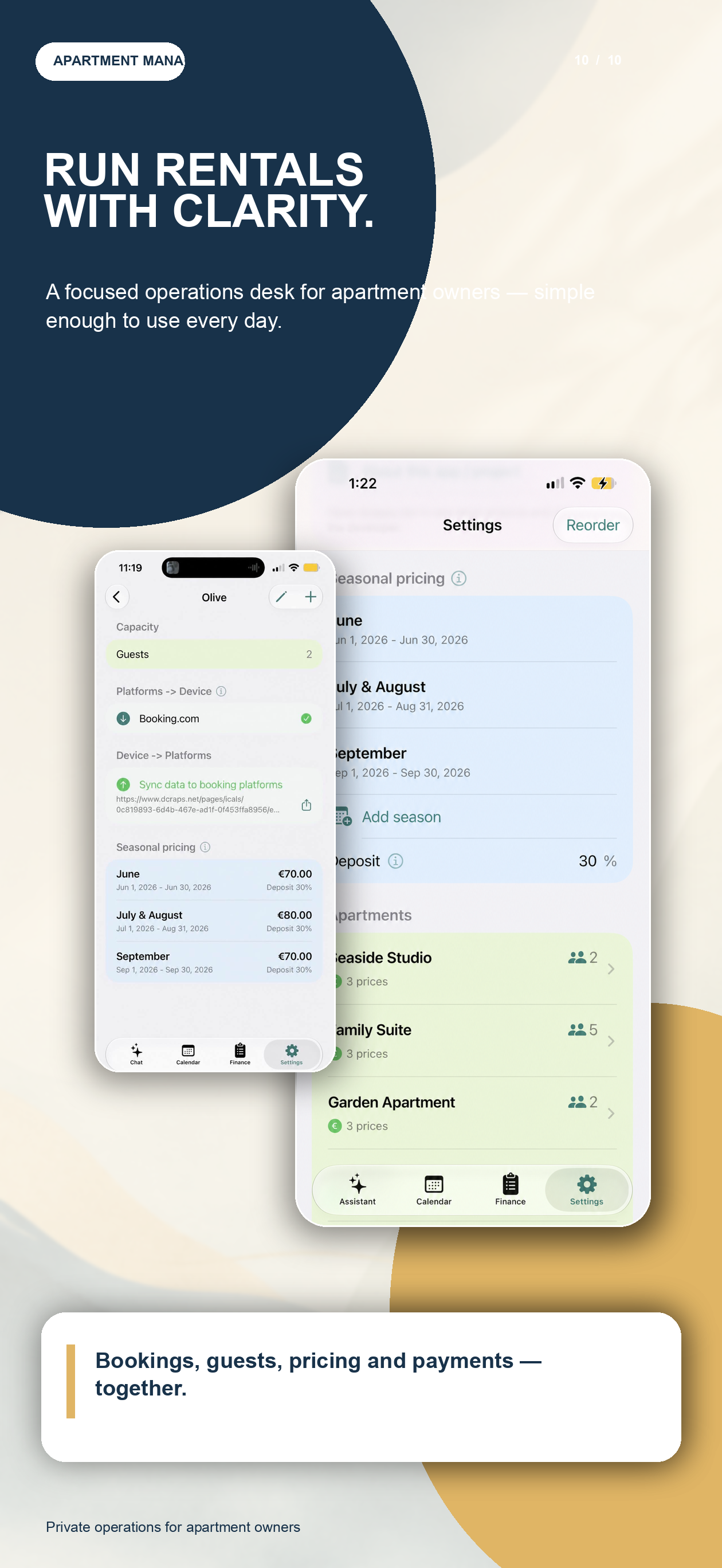
Natural Language & AI Integration
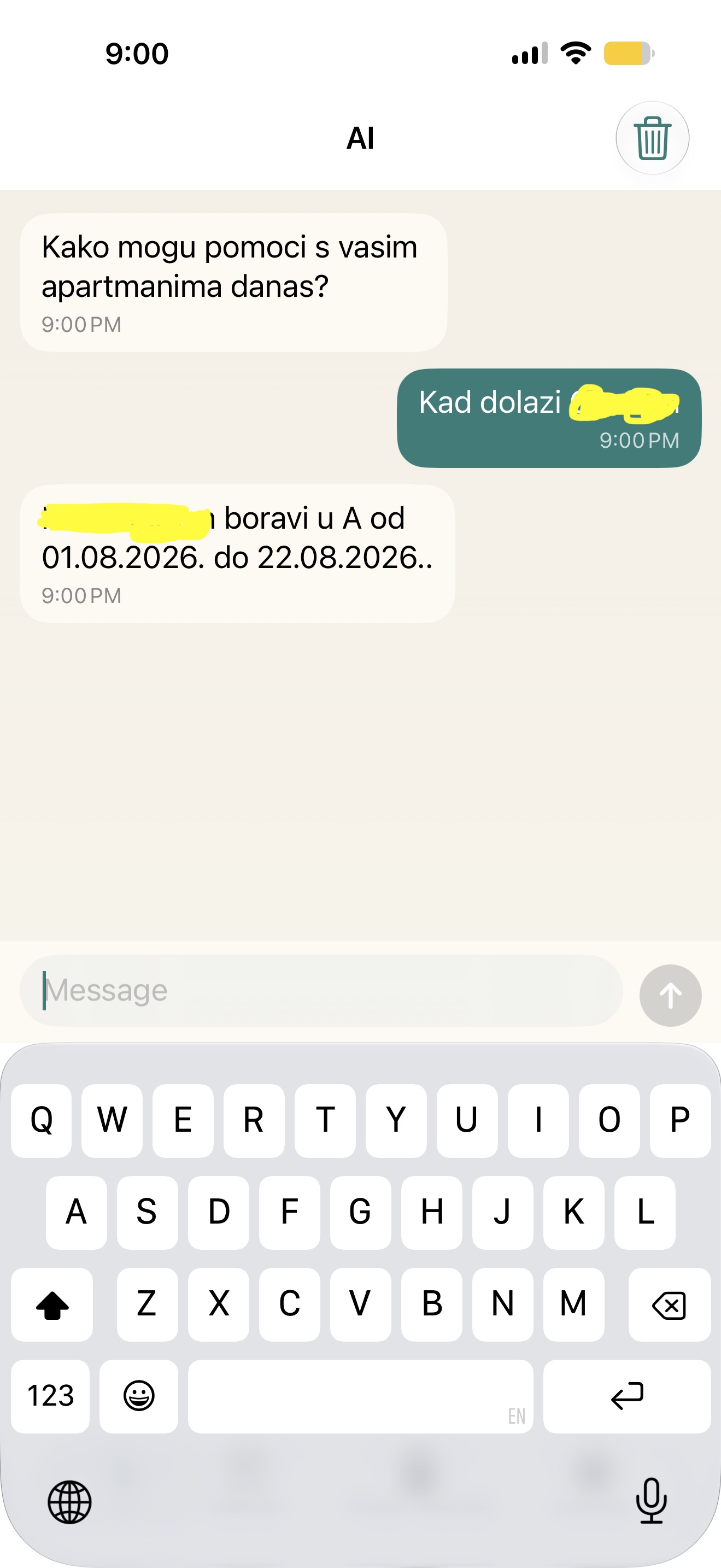
RentalBook uses Gemini AI as a multilingual assistant for natural interaction with your booking database. These screens show the assistant answering questions, registering stays, and updating records in English and Croatian.
Croatian AI Interface
Querying current guests, checking balances, and writing natural prompts in Croatian.
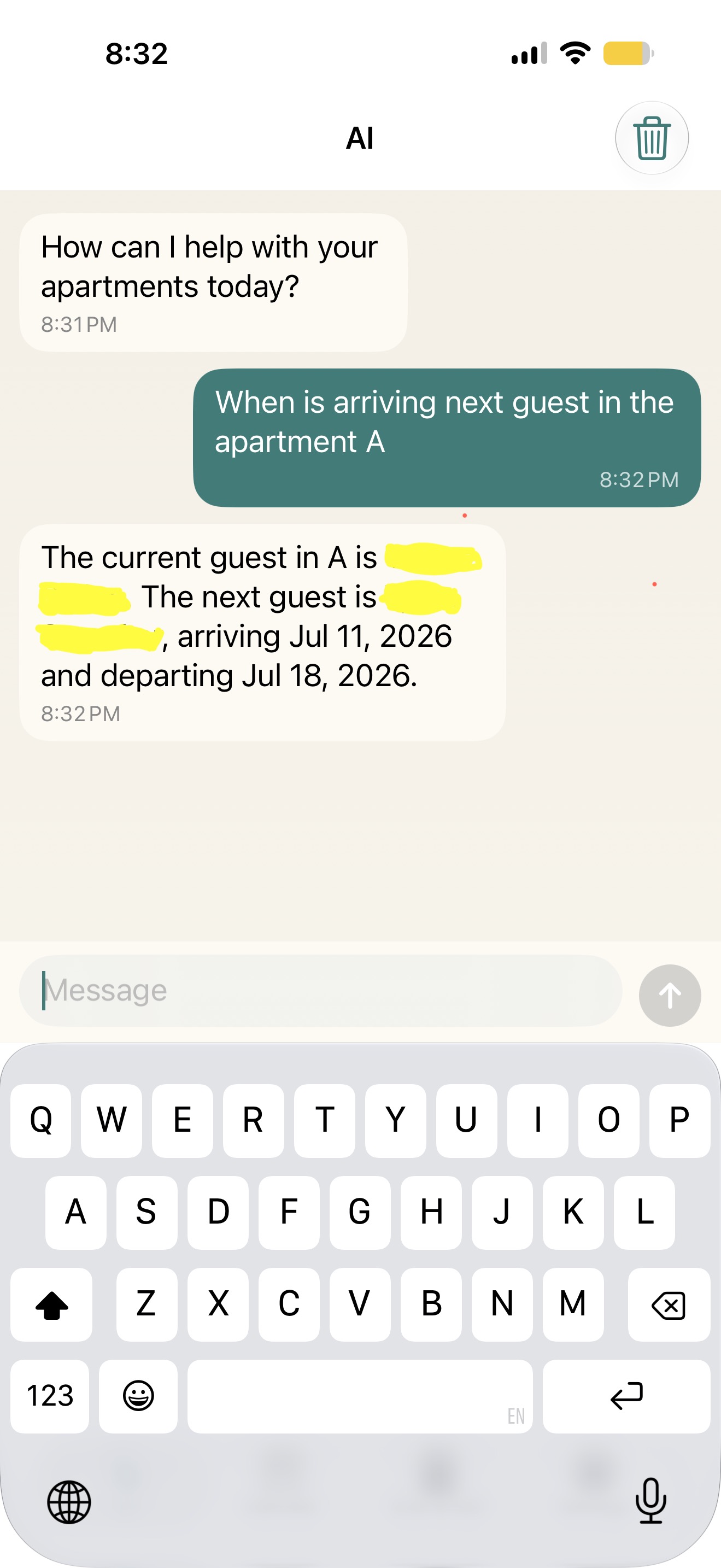
English AI Interface
Retrieving guest counts, registering new stays, or requesting information in English.
Real-Time Occupancy & Booking Control
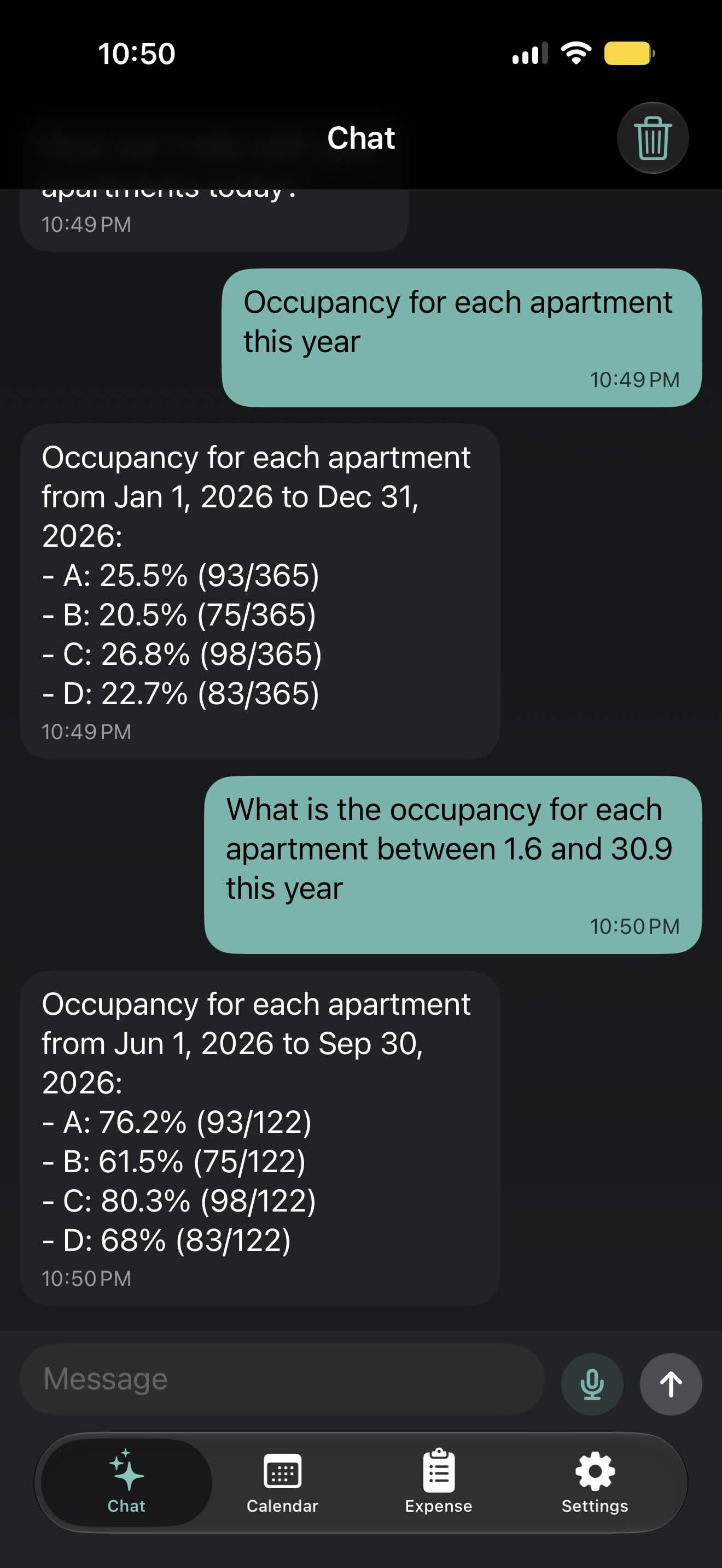
See how the AI assistant performs complex tasks in real-time—calculating precise occupancy statistics or modifying and updating bookings via natural conversation.
1. Occupancy Analysis
Get instant occupancy percentages and booked days for any date range or for the entire year across all apartments.
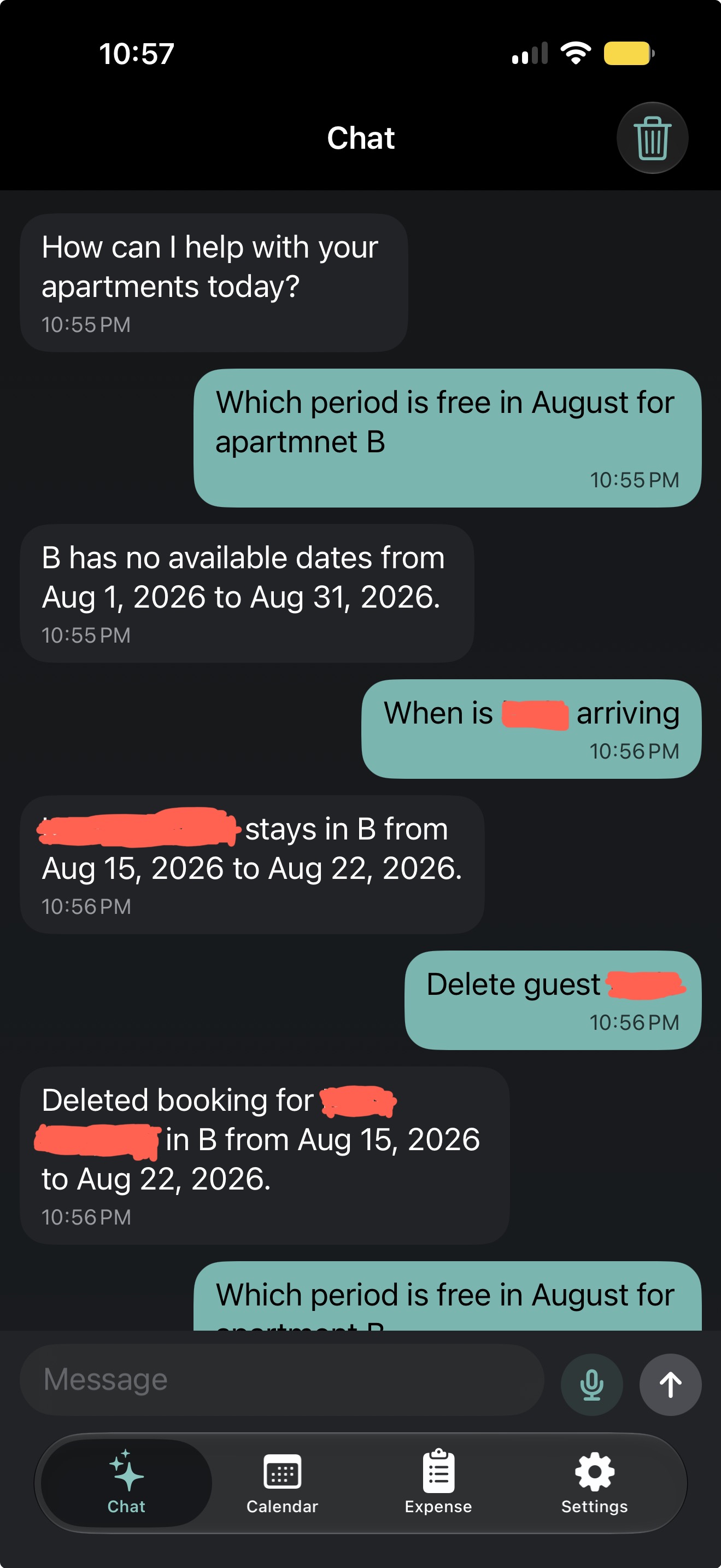
2. Manage & Delete
Update your records on the fly. Ask the assistant to remove a reservation, and it will be deleted from your secure local database immediately.
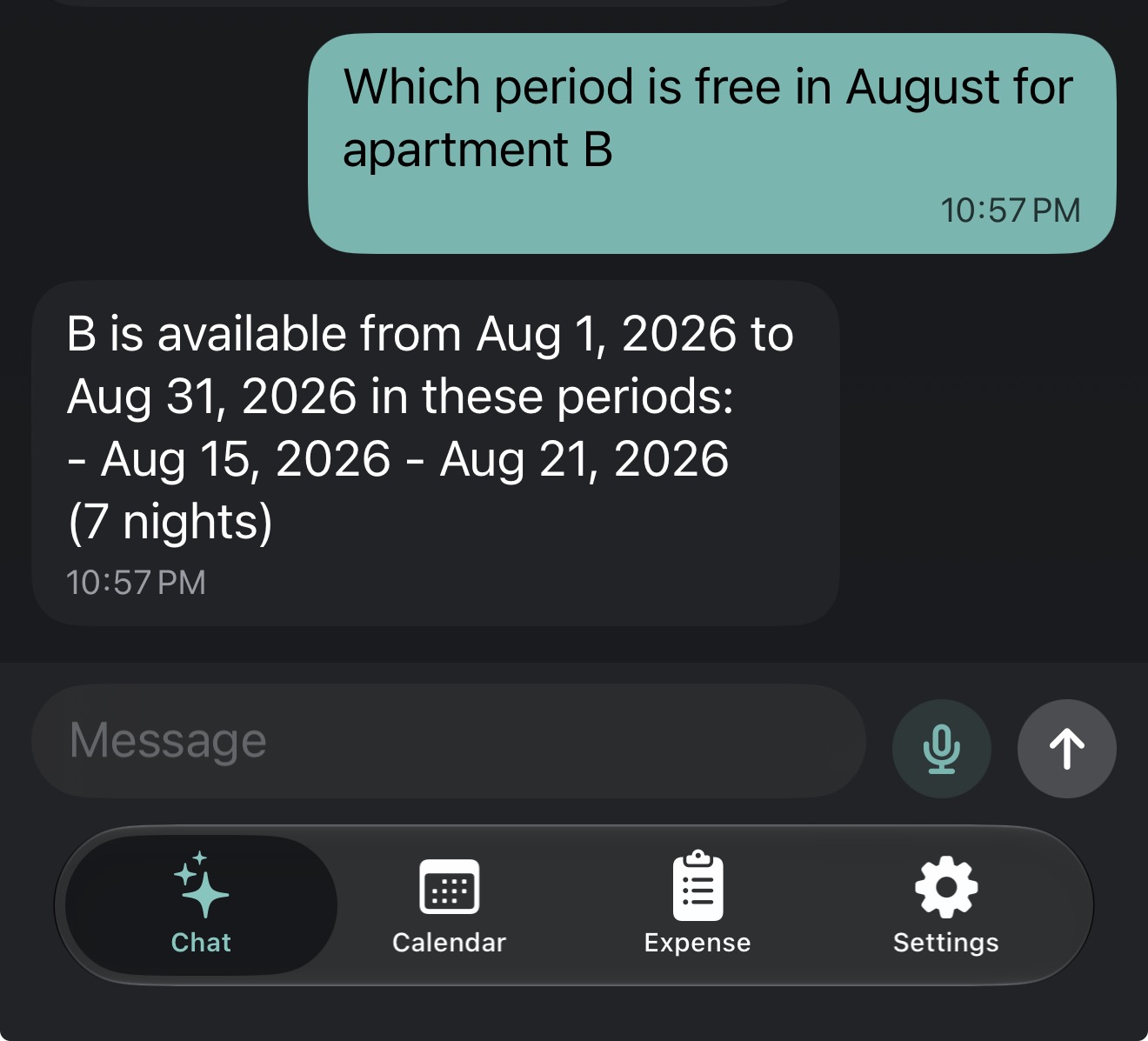
3. Instant Availability
Check updated calendar availability immediately after changes. The assistant recognizes open slots in real-time.
Behind the Scenes: Gemini AI with controlled local actions
Gemini handles the language and intent layer, while RentalBook keeps the operational rules in the app. The assistant can select an approved tool, extract its parameters, and request the action—but the app validates and executes the change against the local database.
This separation keeps the experience fast and multilingual without giving the model direct, unrestricted access to bookings or payments.
What Gemini does
Understands the owner’s language, identifies the requested operation, and extracts the structured parameters needed by the app.
Xcode Project Components
AIToolDefinitionsEnglish.swift/AIToolDefinitionsCroatian.swift: Tool descriptions and examples for Gemini.AIEnglishResponses.swift/AICroatianResponses.swift: Local tool response texts.
AI Request & Execution Pipeline
Tool IDs stay language-independent, while descriptions and answers are localized.
Complete Feature Summary
Built specifically for small accommodation owners, RentalBook combines everyday direct booking workflows, seasonal pricing, guest vouchers, financial expense tracking, and natural language AI into a single local-first iOS app.
🏡 Apartment Setup & Seasonal Price Sync
Create and organize rental units with custom guest capacity and drag-and-drop ordering. Define global seasonal pricing templates (low/high season, holidays) and let smart season sync auto-populate missing unit prices while keeping historical pricing intact.
📅 Visual Calendar & Diagonal Day Cells
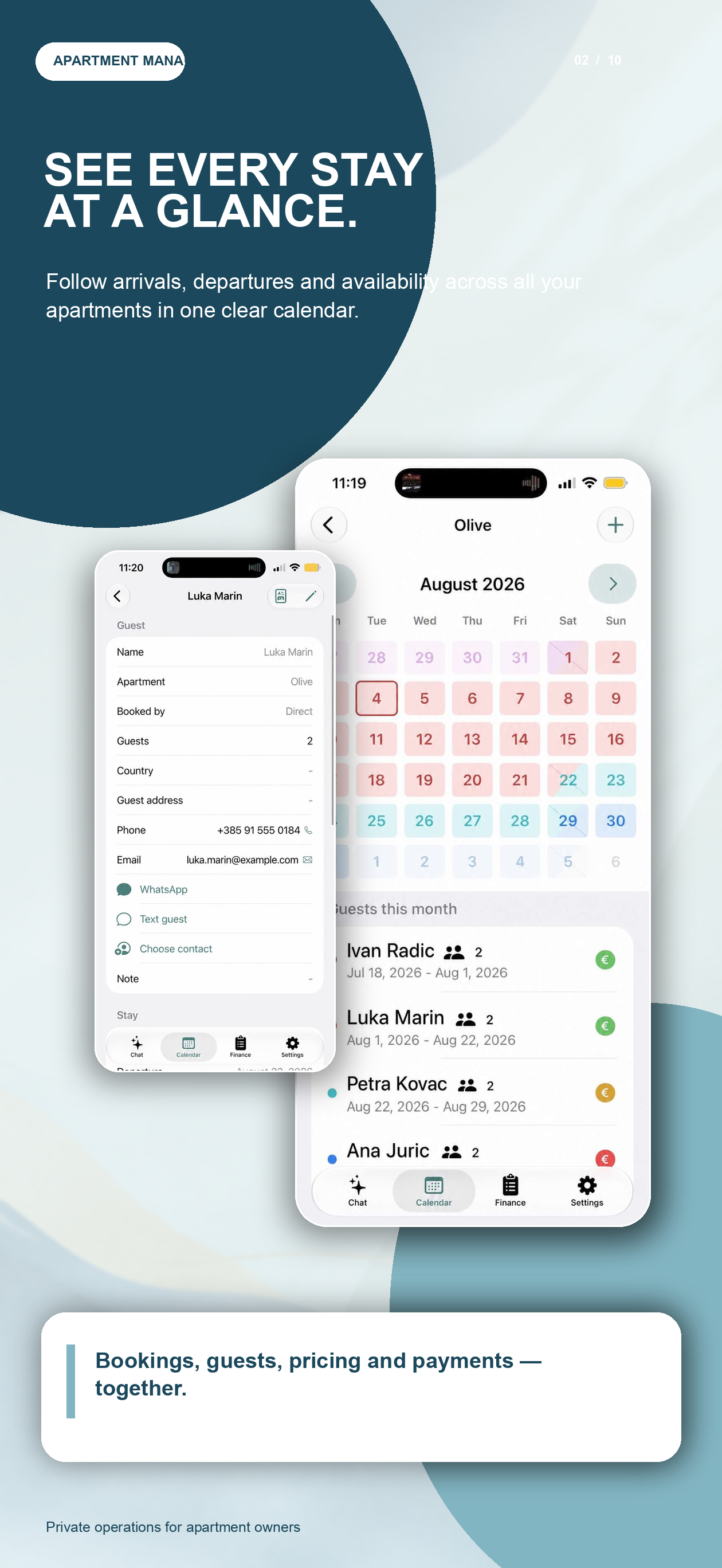
Color-coded reservation blocks per guest, fast guest/unit search, and instant availability checks. Features diagonal check-in/check-out day cells to cleanly distinguish same-day check-outs and check-ins on the calendar grid.
👤 Guest Profiles & iOS Contacts Actions
Store party details (adults/children), country, guest address, and notes. Instantly launch Phone calls, Email, SMS/iMessage, or WhatsApp conversations, and enrich missing contact info using the local iOS Contacts framework.
📄 Bilingual Vouchers & Confirmation Drafts
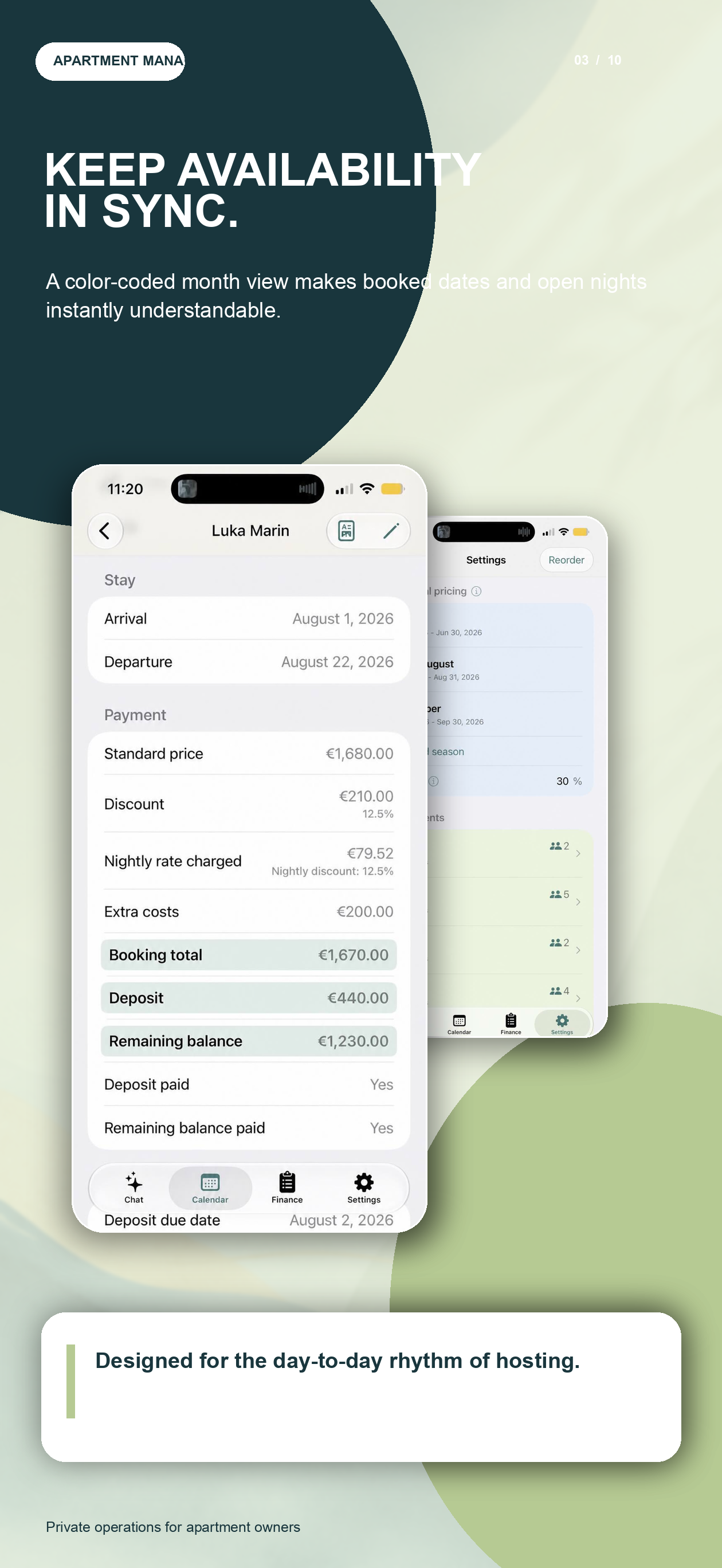
Generate polished bilingual PDF booking confirmations with automatic voucher numbering, stay totals, deposit due dates, and owner/bank details (IBAN, SWIFT). Prepares suggested confirmation emails for guest approval.
💰 Financial Expenses & Payment Tracking
Track yearly operational expenses with built-in categories (cleaning, laundry, groceries) and custom expense entries. Monitor guest deposits, remaining balances, and filter lists by unpaid advances or balances due.
📊 Statistics & Swift Charts Analytics
Analyze occupancy percentages, occupied vs. available nights, guest counts, realized earnings, discounts, and potential unrealized earnings across custom date ranges with interactive Swift Charts pie chart breakdowns.
🌐 Mediterranean Multilingual Support
Full app UI localized in 7 languages: English, Croatian, Greek, Portuguese, Italian, Spanish, and French. Additional translation target support for guest-facing PDF voucher notes.
🔒 Gemini AI & Local-First Storage
Core Data + UserDefaults device storage with optional iCloud backup. Gemini handles multilingual understanding, while approved tool calls and app validation keep booking changes controlled and the operational database on the device.
Next priorities
We are actively expanding RentalBook to bring more efficiency and advanced capabilities directly to your device:
Private enough to trust. Simple enough to use every day.
The goal is not to create another heavy hospitality system. The goal is to make everyday guest management feel natural, familiar, and easy to keep under control, without forcing owners to keep sensitive booking and payment details in a central cloud database.