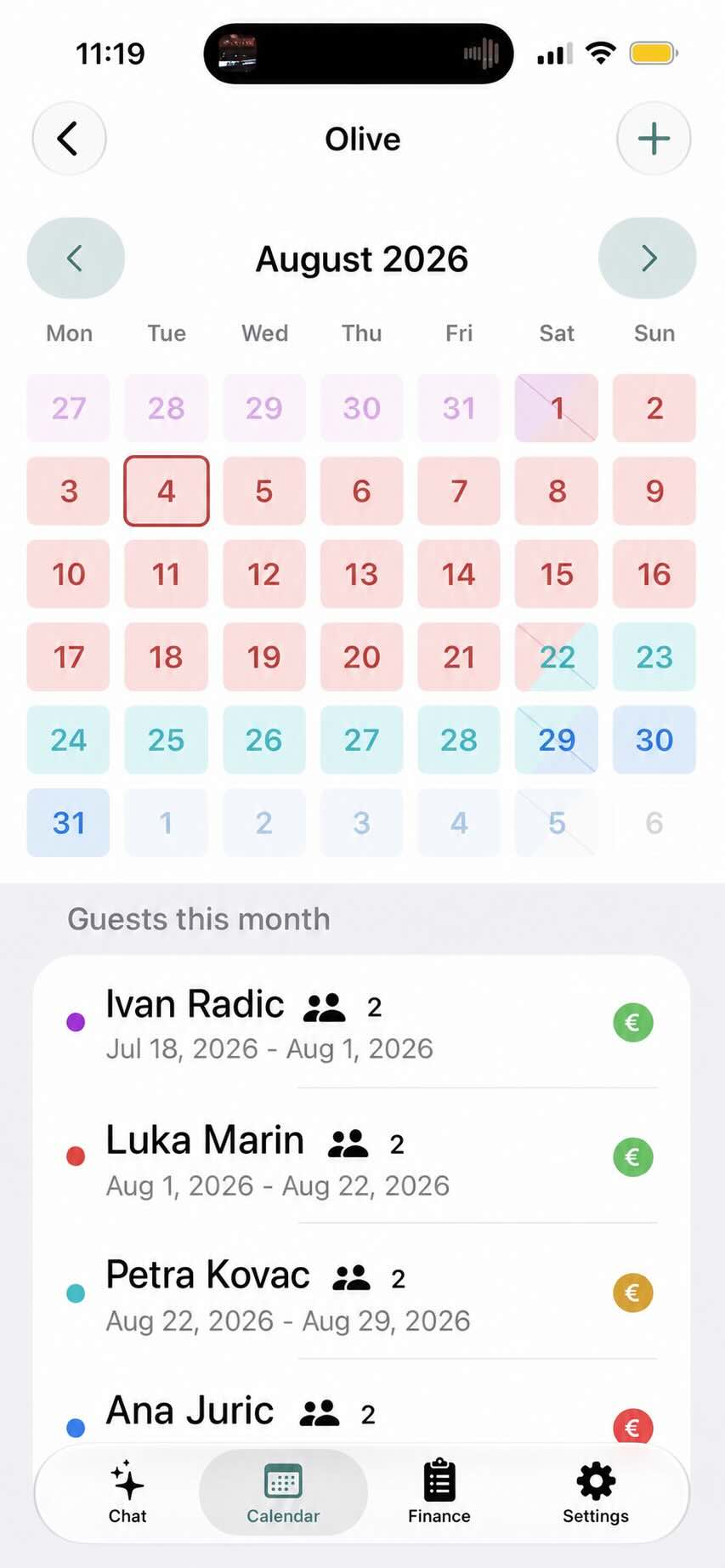
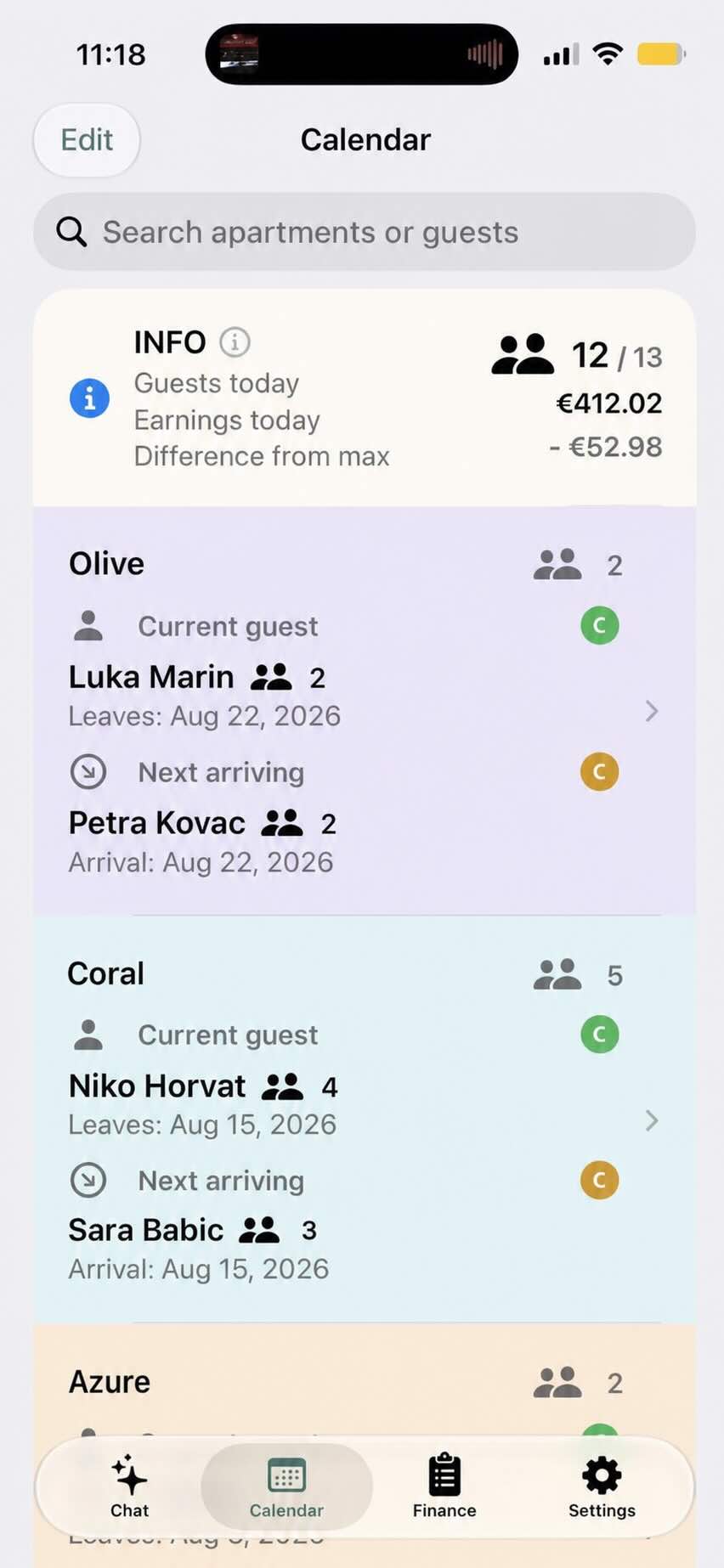
Manage your holiday apartments on your iPhone. See available dates, upcoming arrivals, and unpaid balances without searching through messages and spreadsheets.
One apartment is free. Plans for more apartments start at €10 per year.
Your calendar. Your guests. One clear view.
A focused PMS for family accommodation
The essentials of property management—without hotel-software complexity.
A PMS, or Property Management System, helps accommodation owners run daily operations. RentalBook focuses that idea on owners of family apartments and holiday homes. Its purpose is to help you run your apartments or houses in an organised but simple way, without requiring technical knowledge or making you navigate complex features you do not need.
This is not yet another complicated Property Management System that makes your work harder. RentalBook helps you stay organised, keep track of what matters, and save time managing your property.
What RentalBook is
A shared daily workspace for one apartment or a small portfolio
Reservations, guests, seasonal prices, payments, expenses and financial overview
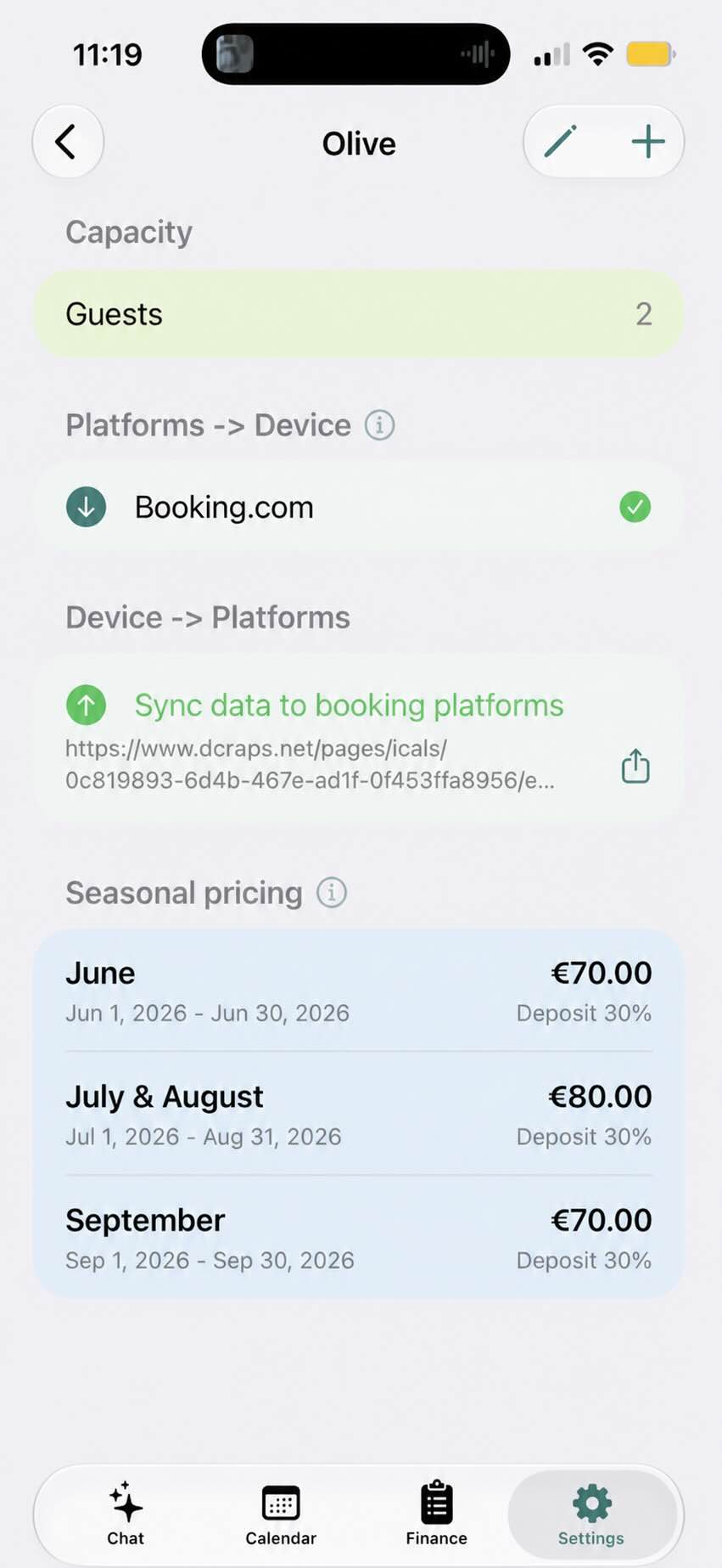
Calendar synchronization with Booking.com, Airbnb, Expedia and other services that support calendar links
Team data sharing, eVisitor, PDF vouchers and optional AI assistance
What RentalBook is not
A real-time channel manager or automatic dynamic-pricing engine
A guest-marketing CRM or staff housekeeping platform
A website builder or full accounting and tax system
Why keep it focused?Hotels, agencies and large professional managers need complex sales, staffing and accounting workflows. Family hosts usually need a clear calendar, reliable guest and payment records, simple finances and required local administration. RentalBook is intentionally designed around those needs so it remains quick to learn and comfortable to use.
What you get
Three essentials for running holiday apartments.
▣
Apartment and financial management
Manage stays, guests, prices, payments, statistics, and vouchers in one place. Keep guests informed with confirmations and useful stay details.
↔
Calendar synchronization
Keep availability aligned across Booking.com, Airbnb, Expedia, direct bookings, and other services that support calendar links.
✓
eVisitor integration for Croatia
Scan guest documents, review the information, and prepare or submit the required guest registration to eVisitor.
Made for the way you already work
Who’s arriving? What’s free? What’s paid?
Whether you rent one apartment or a small group of apartments, you need a clear overview of who is arriving, what has been paid, and which dates are free. RentalBook is built for exactly that.
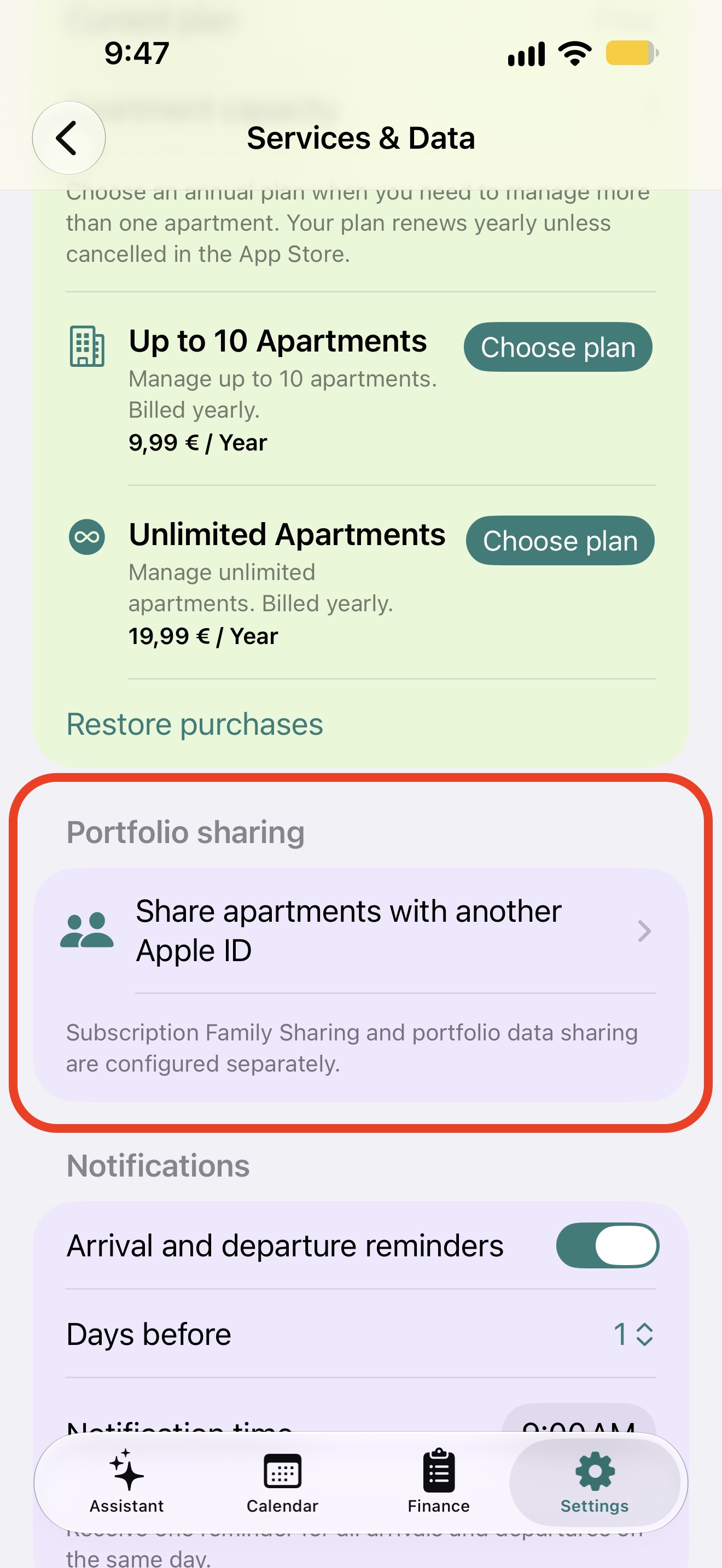
Subscription Family Sharing and portfolio data sharing are configured separately, so you stay in control of access.
Available across Apple devices
One app for your devices—and now for your team.
RentalBook is available for iPhone, iPadOS and macOS. Your apartment information stays within the Apple ecosystem and is ready wherever you manage your business.
iPhone, iPad and MacUse the app on the Apple device that suits the work you are doing.
Subscriptions shared with your familyEligible RentalBook subscriptions support Apple Family Sharing, so family members can use the plan without purchasing it again.
Manage the same apartments togetherPortfolio Sharing lets several trusted users with different Apple IDs work with the same apartments, bookings, seasonal pricing, costs and voucher settings. Changes synchronize through iCloud.
Guided onboarding
Useful in minutes, complete when you are ready.
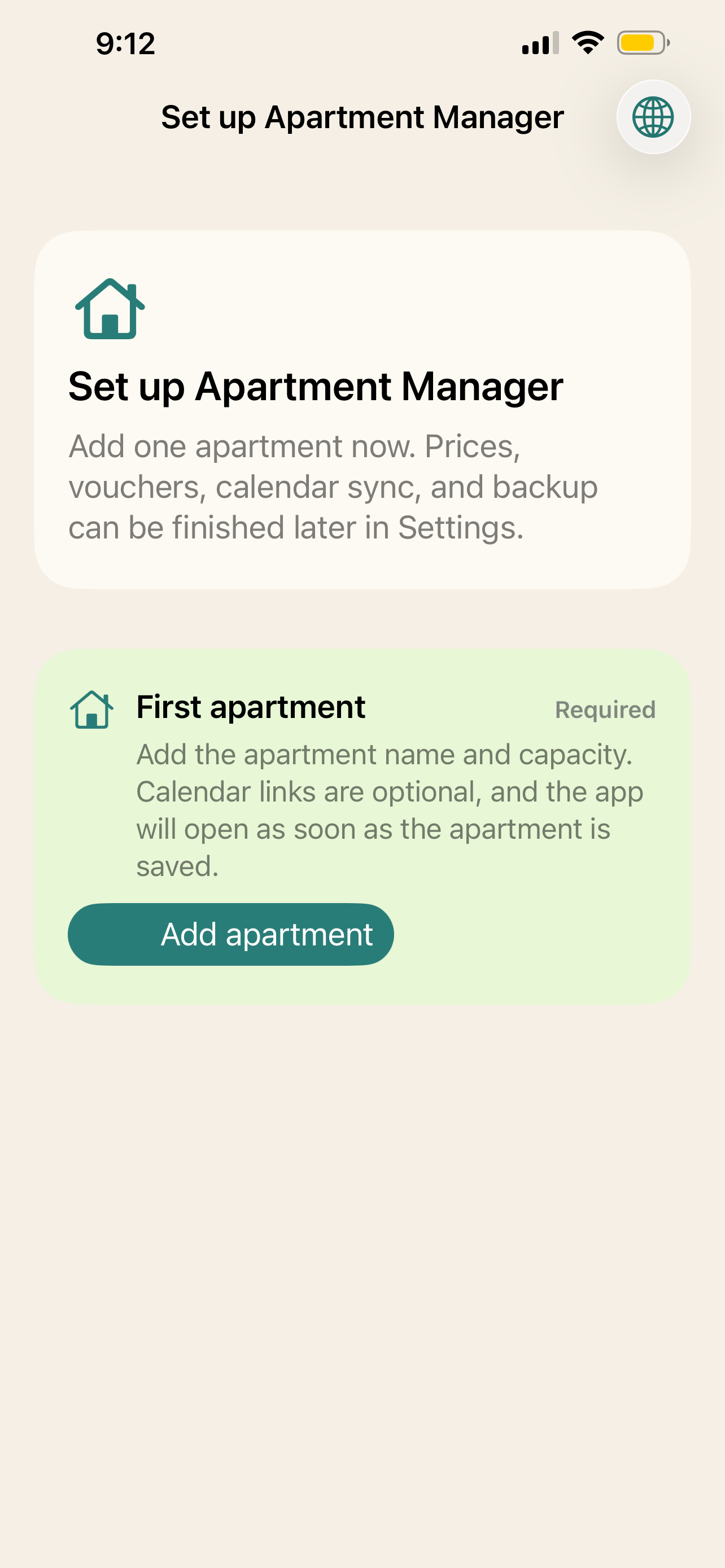
The app does not open on an empty control panel. It guides an owner through the first apartment, then introduces pricing, calendar connections, vouchers, backup, and regional options in manageable steps.
Add one apartmentEnter its name and guest capacity to open the working calendar.
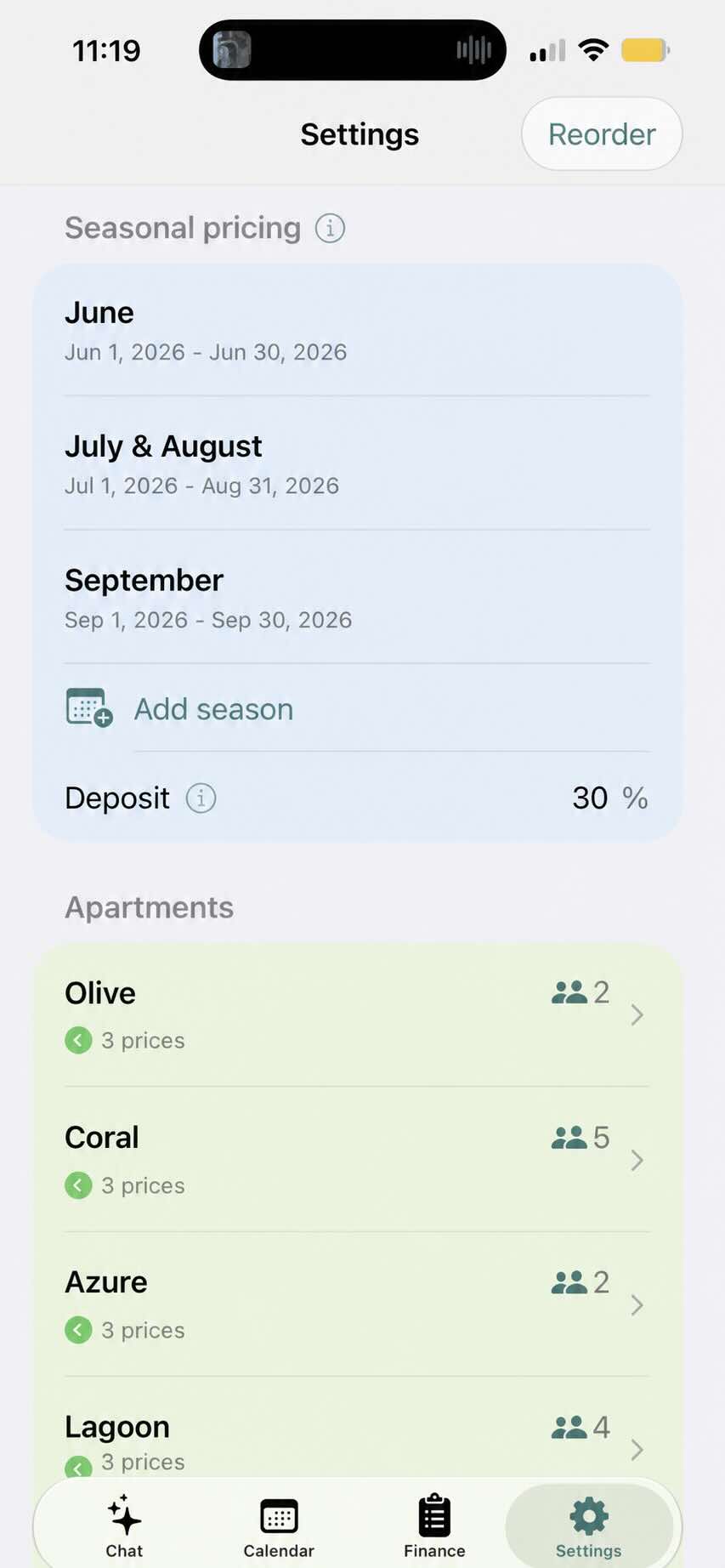
Set the way you rentAdd seasons, nightly prices, deposits, and the booking sources you use.
Connect optional servicesSet up calendar sharing, backup, AI assistance, or eVisitor only when they are relevant.
Add a reservation in moments
Simple when a guest calls or sends a message.
Open the calendar, choose the apartment and dates, add the guest details, and save. RentalBook checks the dates so you can spot a conflict before it becomes a problem.
Choose the apartment and datesSee the calendar while you make the booking.
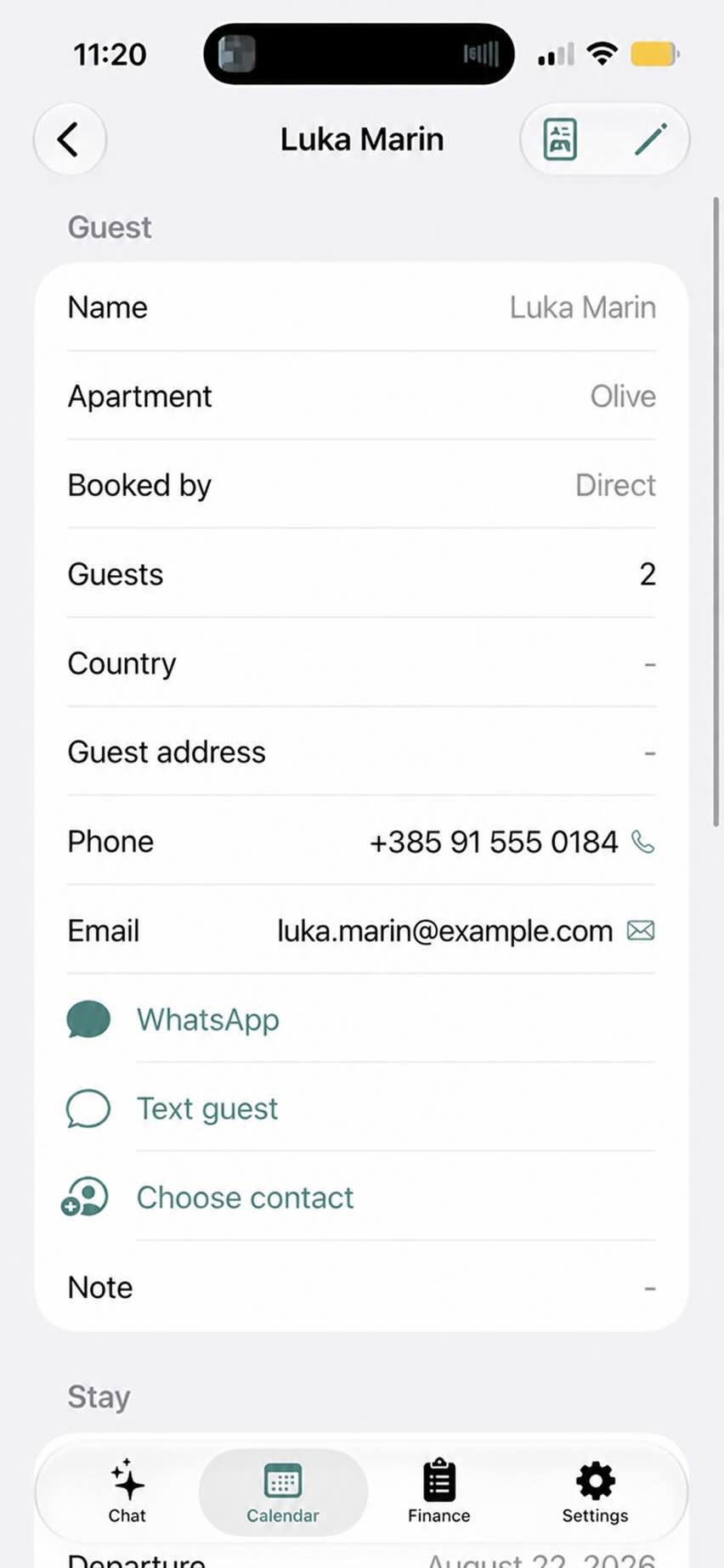
Add the guest and payment detailsRecord the deposit, total price, notes, and booking source in one place.
Save with confidenceReturn later to see what is paid, who is arriving, or create a booking confirmation.
Less calendar worry
Keep one clear picture of availability.
When bookings arrive from several places, checking every calendar is tiring. RentalBook helps you collect the availability you need into one familiar calendar view.
Import booking-platform calendars
See direct and platform bookings together
Allow same-day check-out and check-in
Share availability through a calendar link when needed
Each apartment keeps its own platform connections, availability link, capacity, and seasonal prices.
Calendar links import availability; they are not a real-time channel manager. Background refresh depends on iOS, and platforms control when they refresh shared calendars. Check the latest availability before confirming a stay.
Financial manager
Know the value and payment status of every stay.
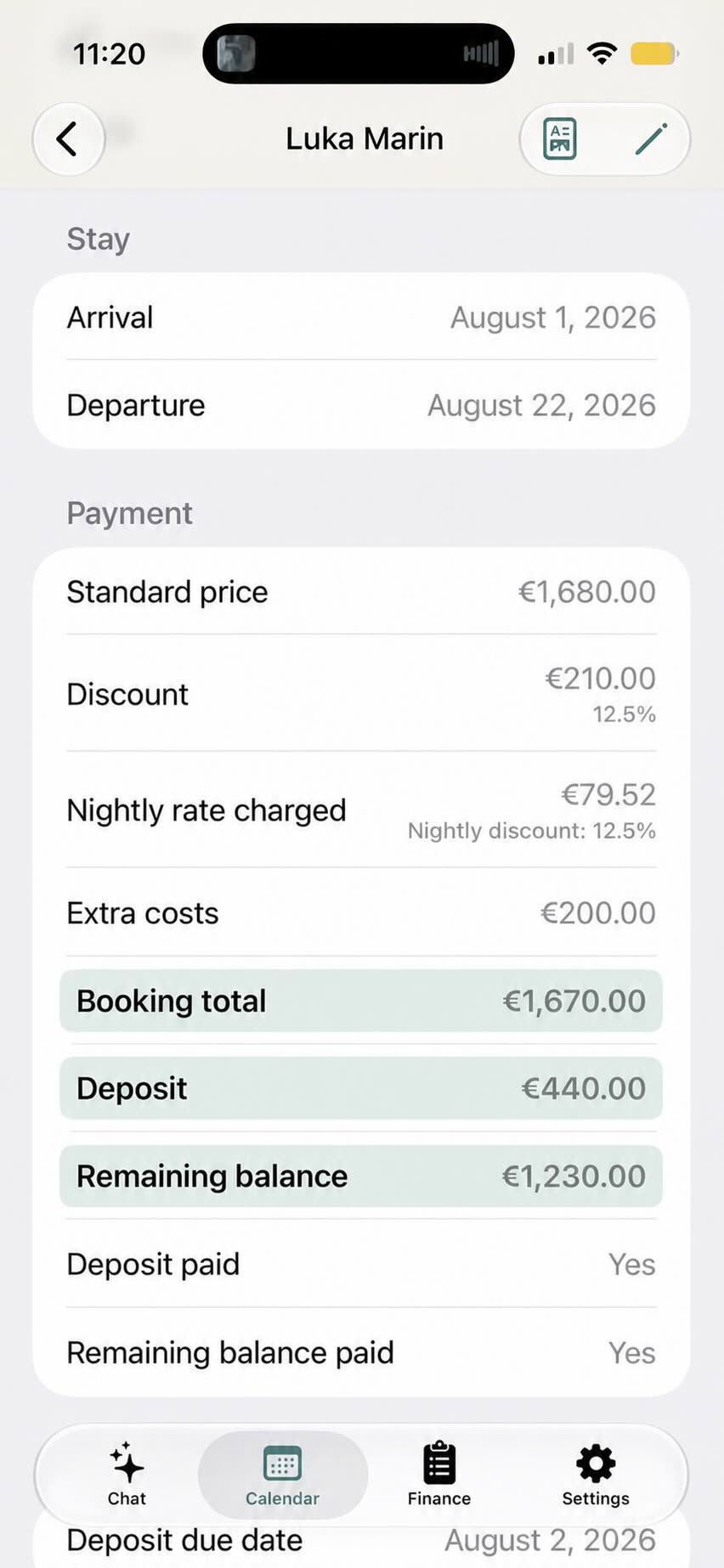
Seasonal rates provide the standard price, while discounts, extra costs, deposits, due dates, and the remaining balance stay attached to the reservation. The finance overview brings paid and unpaid amounts together across all apartments.
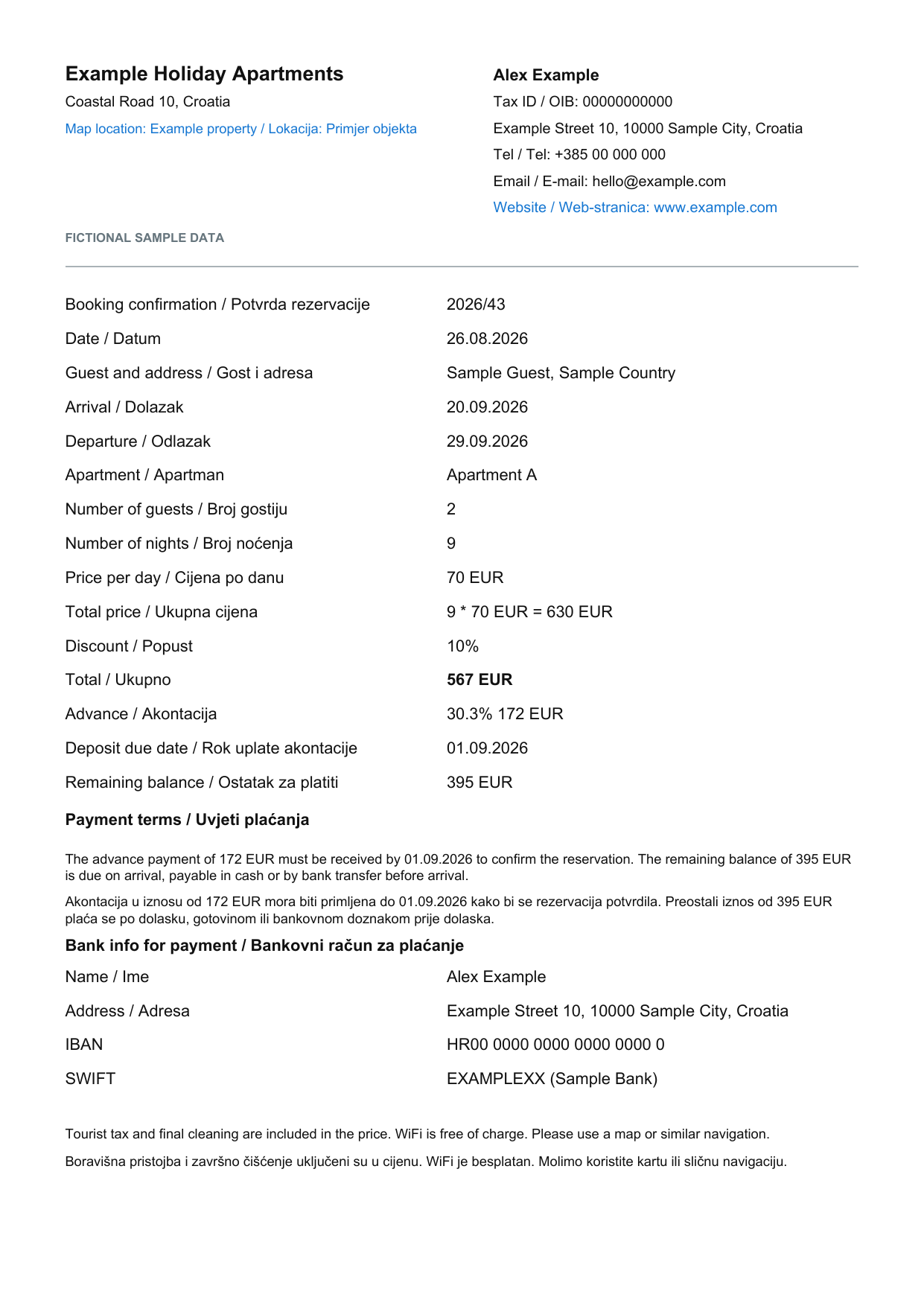
Create and share a PDF voucher with stay dates, payment terms, property details, guest information, and your signature. Records remain available on your device, with iCloud backup and sync for your own Apple devices.
PDF documents
Professional vouchers and invoices, ready to share.
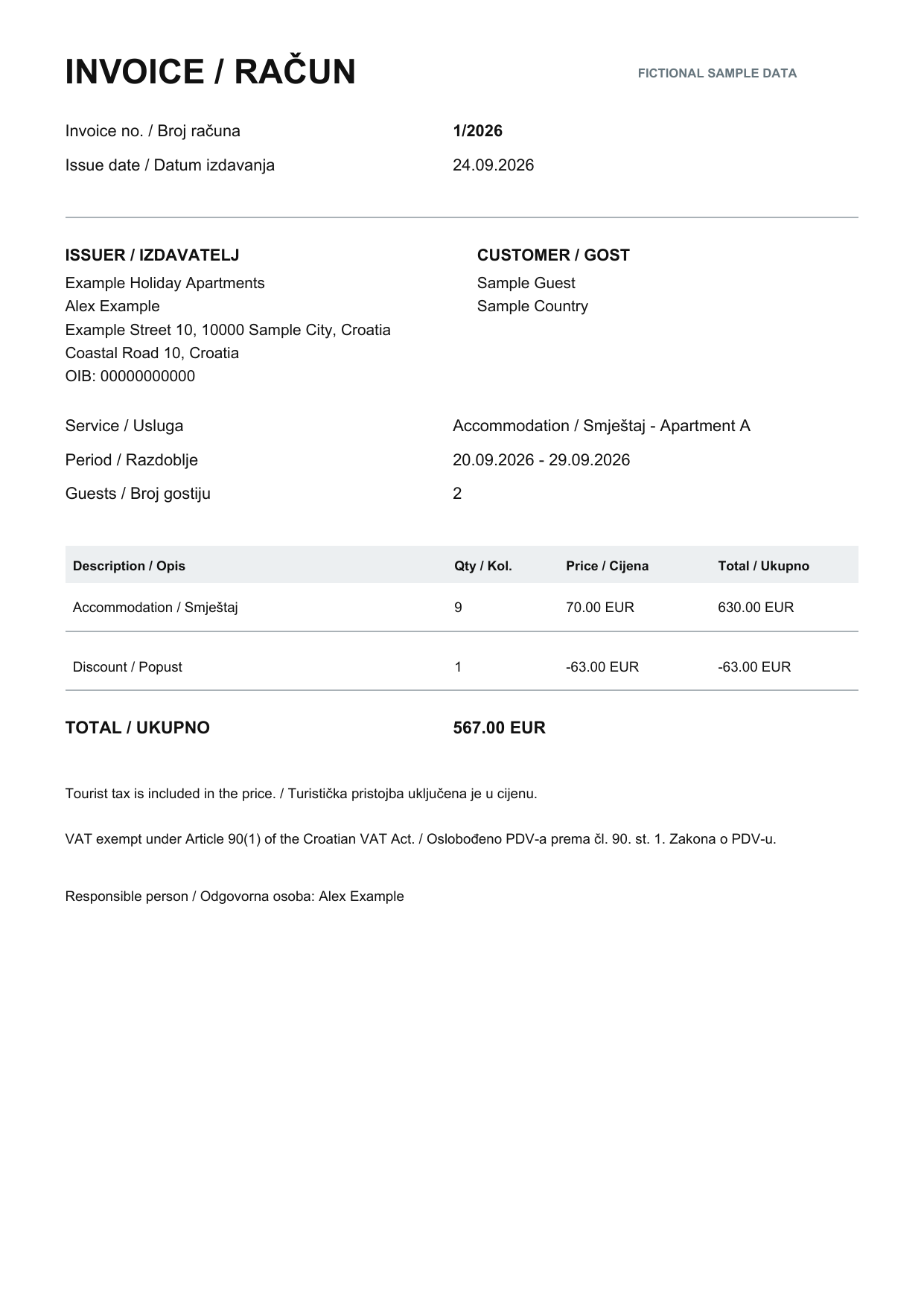
Generate a booking voucher before the stay and issue a numbered invoice afterward. Both documents can include English plus your selected second language.
Booking voucher example
Stay dates, pricing, deposit, payment terms, and property details in one clear confirmation.
These examples contain fictional sample data only. No real guest, owner, property, contact, tax, banking, or signature information is included.
Organised invoice records
Correct invoices without losing their history.
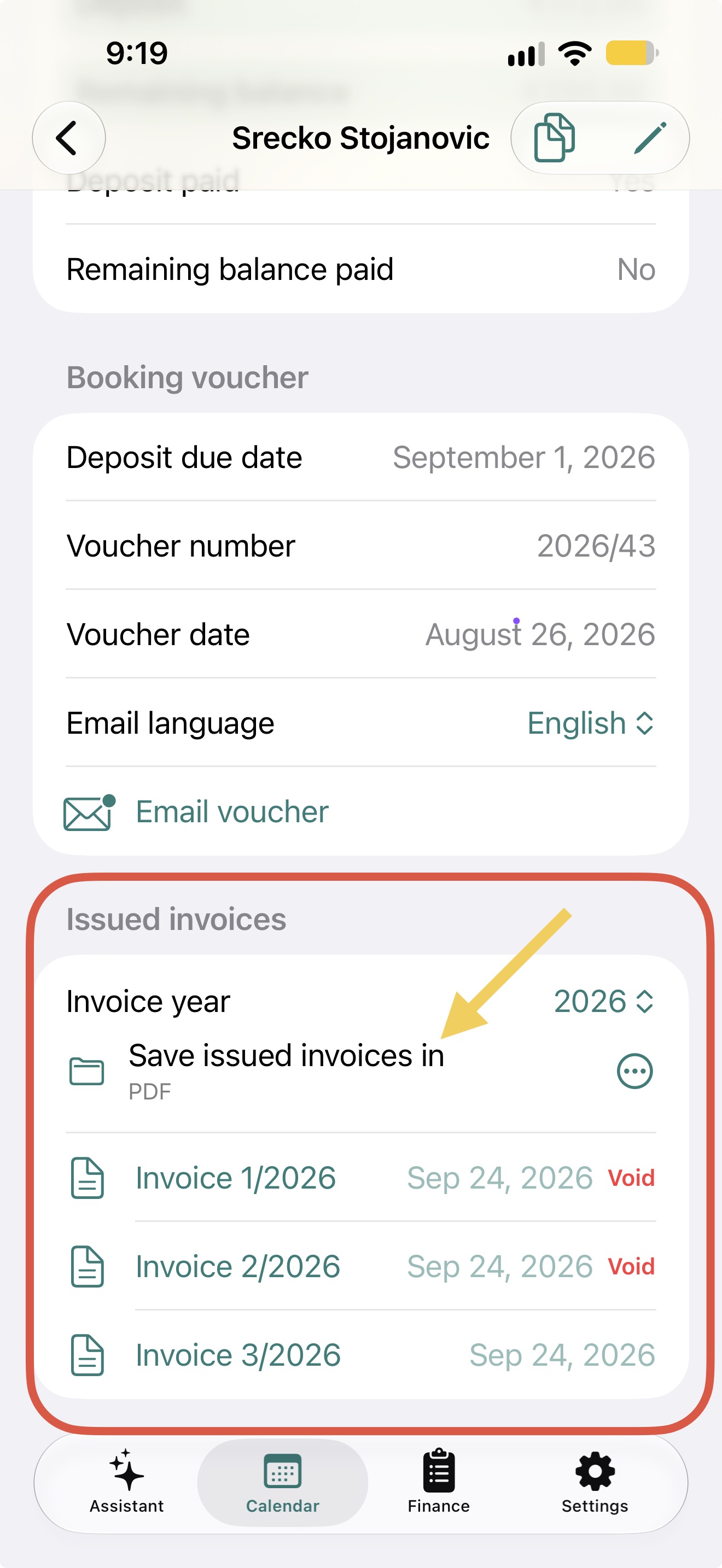
Issued invoices remain traceable. If an invoice needs to be corrected, void the original and issue a new invoice instead of replacing or deleting it.
Voided invoices stay in the archiveThe original is clearly marked as void and remains available for your records, while the corrected invoice receives its own number.
Choose one folder for each yearSelect a folder on the device or in a cloud-storage location for the chosen invoice year.
One yearly folder for every guestAfter the folder is selected, invoices issued for all guests in that year are saved in the same place, making them easier to find, review, and back up.
Keep active and voided invoices together in a clear yearly archive.
For hosts in Croatia
From an identity document to eVisitor registration.
For Croatian properties, the app can keep the guests travelling under one reservation, read passport or identity-card details with the camera or a gallery photo, and prepare the required stay information for eVisitor.
The owner verifies the extracted information before submitting it and can see which guests have already been registered. The separate guide explains the one-time eVisitor account and property setup.
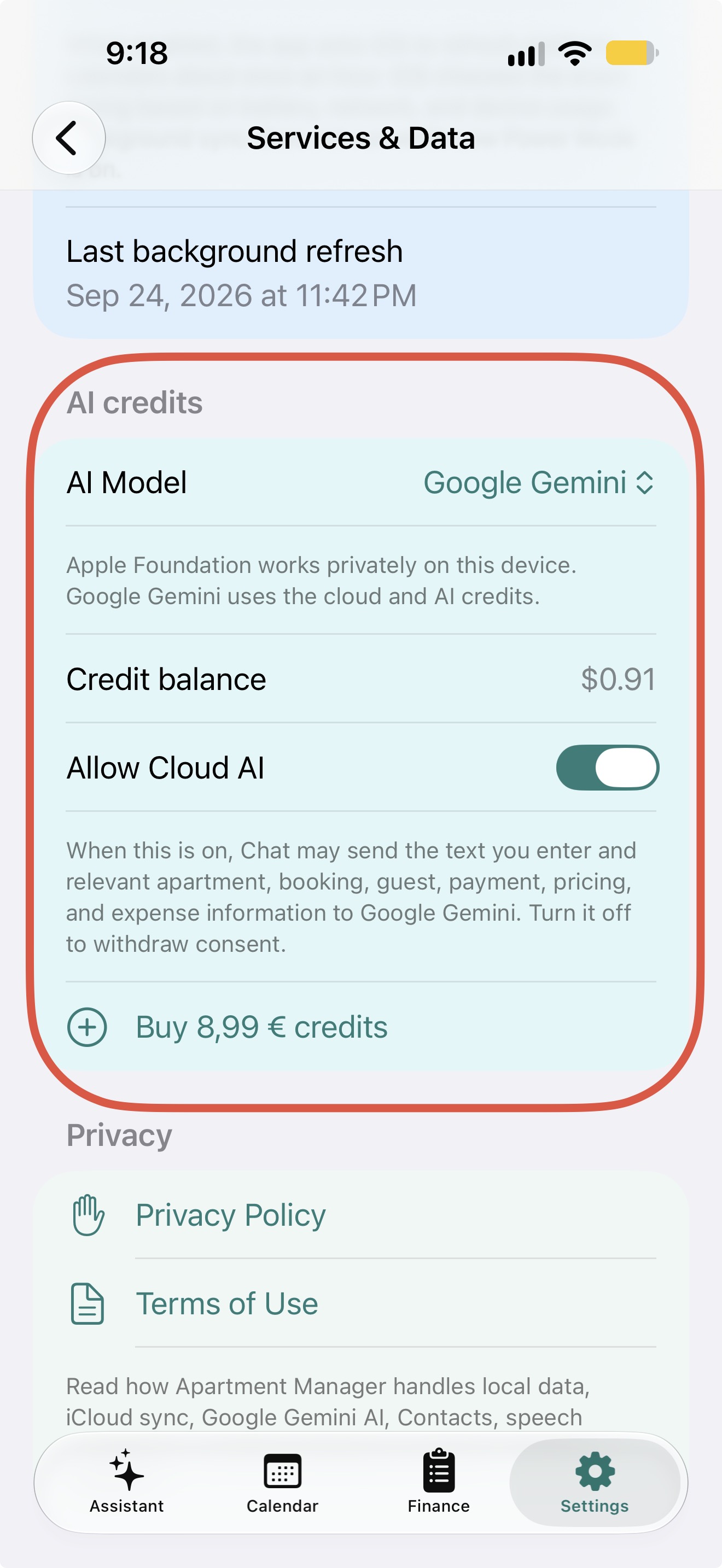
Ask questions about your bookings or prepare a reservation using natural language. RentalBook shows you what it understood, and you remain in control before anything is saved.
Google GeminiA capable cloud-based option available through the app. With your consent, the prompt and relevant context are sent to Google to produce an answer.
Apple Foundation ModelRuns on-device on compatible devices with Apple Intelligence enabled. If the device does not support it, this option is unavailable in Settings.
Always optionalChoose your preferred model in AI Settings, or leave AI disabled. Every core booking task continues to work without AI.
Getting started: a step-by-step guide
Quick-start guide
From first apartment to a well-organised stay.
The app starts with one simple requirement: add your first apartment. Everything else can be completed at your own pace, with an info button beside features that benefit from a little extra context.
1
Add your first apartment
Give it a name and guest capacity. This unlocks the calendar; prices, vouchers, calendar links, and backup can wait until later.
2
Set seasons and prices
Create shared seasons in Settings, then set each apartment’s nightly price and default deposit. New bookings use those prices to calculate totals.
3
Keep calendars in sync
Paste iCal links from Booking.com, Airbnb, Expedia, or another platform to import bookings and blocked dates. You can also share this app’s availability link back to platforms.
4
Add and follow bookings
Use the calendar to add a stay. The app checks for overlapping dates, then keeps the guest, contact details, payment, and booking source in one place.
5
Check the payment status
Review the standard price, discount, extra costs, deposit, and remaining balance for every stay. Generate a booking voucher when you need to send confirmation.
Look for the ⓘ icon in the app.It explains what a setting does—for example, season templates, apartment prices, deposits, calendar sync, guest sharing notes, iCloud backup, and data export.
Pricing
Start free and grow when you need to.
1 apartment — free
Manage one apartment without a subscription.
2–10 apartments — €10/year
One affordable annual plan for owners managing up to ten apartments.